
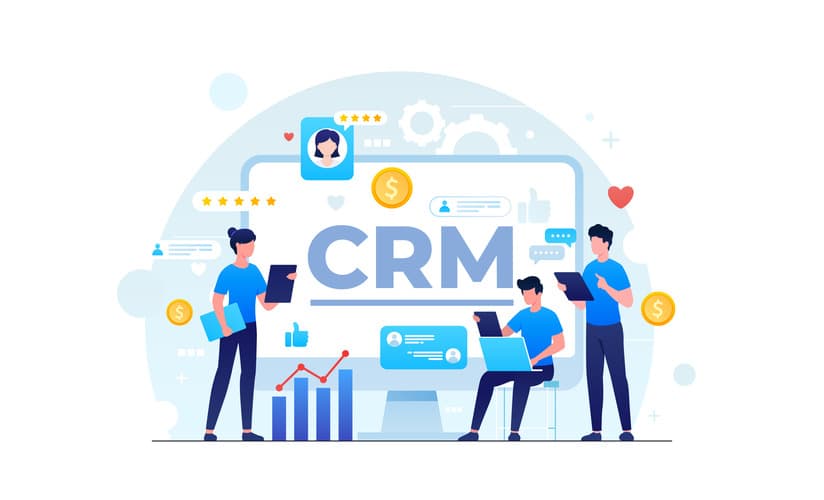
In the modern digital landscape, a website is no longer just a marketing tool — it’s the foundation of your business ecosystem. For business owners, a website should do more than display your brand name and contact details. It should become the core of your operations, connecting every department, automating workflows, and delivering real-time data that drives better decision-making.
This is where integrating CRM (Customer Relationship Management) and ERP (Enterprise Resource Planning) systems with your website can make a game-changing difference. Instead of juggling multiple tools, managing data manually, and relying on scattered reports, you can bring everything together in one seamless, automated system.
Why Integration Matters More Than Ever
Most small and medium-sized businesses face the same operational challenge: their tools don’t talk to each other. Sales teams work in one platform, accounting in another, operations in spreadsheets, and customer support in a completely different tool. This creates silos, slows down response times, and leads to costly errors.
Integrating CRM and ERP with your website eliminates this gap. It enables your business to:
- Centralize all data in one place
- Automate repetitive tasks like invoicing, follow-ups, and inventory updates
- Gain real-time visibility across departments
- Offer customers a smoother, faster experience
- Scale without constantly adding manual work
In short, it’s not just about building a website. It’s about building a connected business.
Understanding CRM Integration
A CRM system helps businesses capture, manage, and nurture leads efficiently. It provides your team with complete visibility of your customer journey — from their first interaction with your website to the point where they become a loyal client.
When you integrate a CRM with your website:
- Leads generated through landing pages, forms, or live chat are instantly recorded in the CRM.
- Your team can automate follow-up emails, reminders, or sales calls without delays.
- Sales pipelines and lead statuses are updated automatically in real-time.
- Every team member can access up-to-date information, ensuring better collaboration.
For example, imagine a visitor fills out your website’s “Request a Quote” form. Instead of receiving a generic notification and waiting for someone to manually process it, the CRM automatically creates a new lead, assigns it to a sales representative, and triggers a personalized email. This removes delay and ensures no lead is missed.
Automation Solutions for Small Businesses and Custom Web Development Services in India play a crucial role in implementing this kind of automation — enabling even small companies to function like large, well-organized enterprises.
Understanding ERP Integration
While CRM handles the front end of customer relationships, ERP focuses on the backend — managing resources, finance, supply chain, inventory, and daily operations.
By integrating an ERP system with your website, you can:
- Synchronize inventory levels automatically when customers place orders.
- Generate invoices and initiate shipping processes without human input.
- Maintain accurate financial records that update in real-time.
- Avoid duplicate data entry between departments.
For example, a customer places an order through your e-commerce website. Instantly, the ERP deducts the product from the inventory, creates an invoice, notifies the shipping team, and updates the financial record. This creates a smooth and error-free workflow, giving customers faster service and your team greater efficiency.
Custom Software Development with AI can enhance this process further, using predictive analytics to forecast demand, prevent stockouts, and automate reordering.
How CRM and ERP Work Together Through Your Website
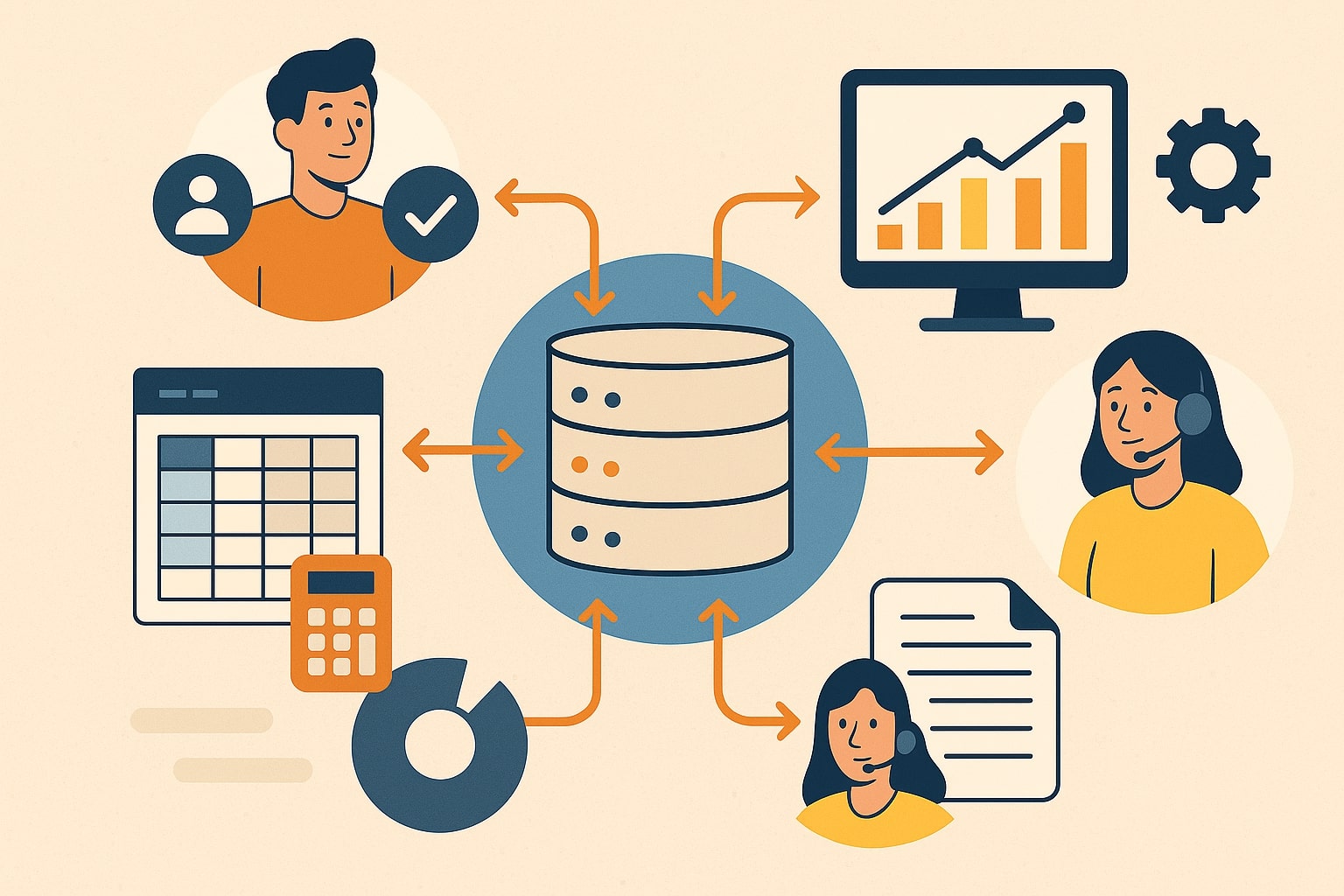
When CRM and ERP are both connected to your website, they create an integrated loop of information that flows freely between departments.
Here’s a typical flow:
- A visitor fills out a contact form or places an order on your website.
- The CRM system records and categorizes the lead or customer details.
- If it’s a sale, the ERP updates inventory, generates invoices, and starts order processing.
- The CRM tracks communications and ensures follow-ups are scheduled.
- Management can access one centralized dashboard to monitor performance.
Instead of fragmented tools, everything works as a single intelligent system.
This kind of structure is especially beneficial for companies investing in Custom E-Commerce Store Development or growing service-based businesses that depend on real-time data to scale.
Key Benefits for Business Owners
1. Faster and Smarter Decision-Making
With all your data connected through CRM and ERP, your leadership team can make decisions based on accurate, real-time information rather than guesswork. You can identify bottlenecks, track performance, and act quickly.
2. Improved Operational Efficiency
Manual tasks like follow-ups, billing, reporting, and inventory management are automated. This not only saves time but also minimizes errors.
3. A Better Customer Experience
From the moment a customer interacts with your website to the time their order is fulfilled, the entire journey is smoother. Real-time updates and faster responses build trust and increase customer loyalty.
4. Seamless Collaboration Across Teams
When sales, marketing, finance, and operations have access to the same system, coordination improves significantly. Teams can collaborate more effectively, reducing delays and confusion.
5. Future-Ready Scalability
As your business grows, the integrated system can easily handle more leads, orders, and customers without overwhelming your team. You won’t have to rebuild your infrastructure every time you expand.
Startup Tech Services and 24/7 Technical Support for Websites & Apps ensure these systems remain optimized and secure as your operations scale.
Choosing the Right Tools for Integration
Not all CRMs and ERPs are built the same. Choosing the right technology depends on your business model, size, and growth goals.
Popular CRM Options:
- HubSpot CRM
- Zoho CRM
- Salesforce
Popular ERP Options:
- SAP ERP
- Odoo
- NetSuite
Website Platforms Compatible with Integration:
- WordPress
- Shopify
- WooCommerce
- Next.js
Working with a team like KSoft Technologies, which specializes in Custom Web Development Services in India, ensures your integrations are secure, scalable, and future-proof.
Step-by-Step Guide to Successful Integration
1. Define Clear Business Objectives
Before integrating, identify your pain points. Do you want to improve lead management? Reduce order processing time? Eliminate manual data entry? A clear objective helps you choose the right tools.
2. Choose Compatible Platforms
Select CRM and ERP systems that work well together and integrate smoothly with your website platform.
3. Build Custom Workflows
No two businesses are the same. Create workflows tailored to your processes, ensuring automation enhances your unique operations.
4. Implement Gradually
Start by integrating one module at a time, such as lead capture or inventory management. This makes testing and troubleshooting easier.
5. Train Your Team
The success of any system depends on how well your team uses it. Conduct proper training and create standard operating procedures.
6. Monitor and Optimize
Track performance after integration. Identify what’s working and what can be improved. Continuous optimization ensures long-term success.
Real-World Example of CRM & ERP Integration
Consider a mid-sized retailer that used to manage sales manually. The sales team received leads through a website contact form, transferred data to spreadsheets, forwarded them to another department for invoicing, and manually updated inventory. This process took hours, sometimes days, and resulted in missed sales.
After integrating a CRM system with the website, leads were automatically routed to the sales team. An ERP system was added to manage order processing and inventory in real time. The result:
- Lead response time dropped from 24 hours to less than 10 minutes.
- Inventory accuracy improved by over 90%.
- Customer satisfaction and repeat purchase rates increased significantly.
- Team productivity rose because there was no more manual coordination required.
This is a classic example of how Automation Solutions for Small Businesses can create measurable impact and long-term business growth.

Common Mistakes to Avoid During Integration
- Ignoring process mapping: Don’t rush to integrate before understanding how your teams actually work.
- Choosing tools based only on price: Cheaper solutions may lack compatibility or scalability.
- Skipping employee training: Even the best system fails if your team doesn’t know how to use it.
- Not testing before full launch: A pilot phase can prevent major issues later.
- Over-automating too early: Start simple and scale gradually.
Avoiding these mistakes ensures a smooth transition and helps you maximize your return on investment.
Securing and Maintaining Your System
Once integration is complete, ongoing support is essential. Businesses should invest in:
- Regular updates and security patches
- Real-time monitoring to prevent downtime
- Data backup and recovery systems
- Continuous performance optimization
This is where 24/7 Technical Support for Websites & Apps adds immense value. Having experts available at all times ensures your integrated systems remain stable, secure, and efficient.
Final Thoughts: Building a Smart Business, Not Just a Website
In a world where speed, data, and customer experience define success, businesses can no longer afford to treat their websites as static pages. A modern business website should be the operational brain of your company, connecting CRM and ERP systems into a single intelligent ecosystem.
With Custom Web Development Services in India, Automation Solutions for Small Businesses, Custom Software Development with AI, Startup Tech Services, and Custom E-Commerce Store Development, you can transform your business into a scalable, efficient, and customer-driven operation.
By embracing integration today, you future-proof your business for tomorrow. Your website can do more than just represent your brand — it can run your entire business with precision and power.