
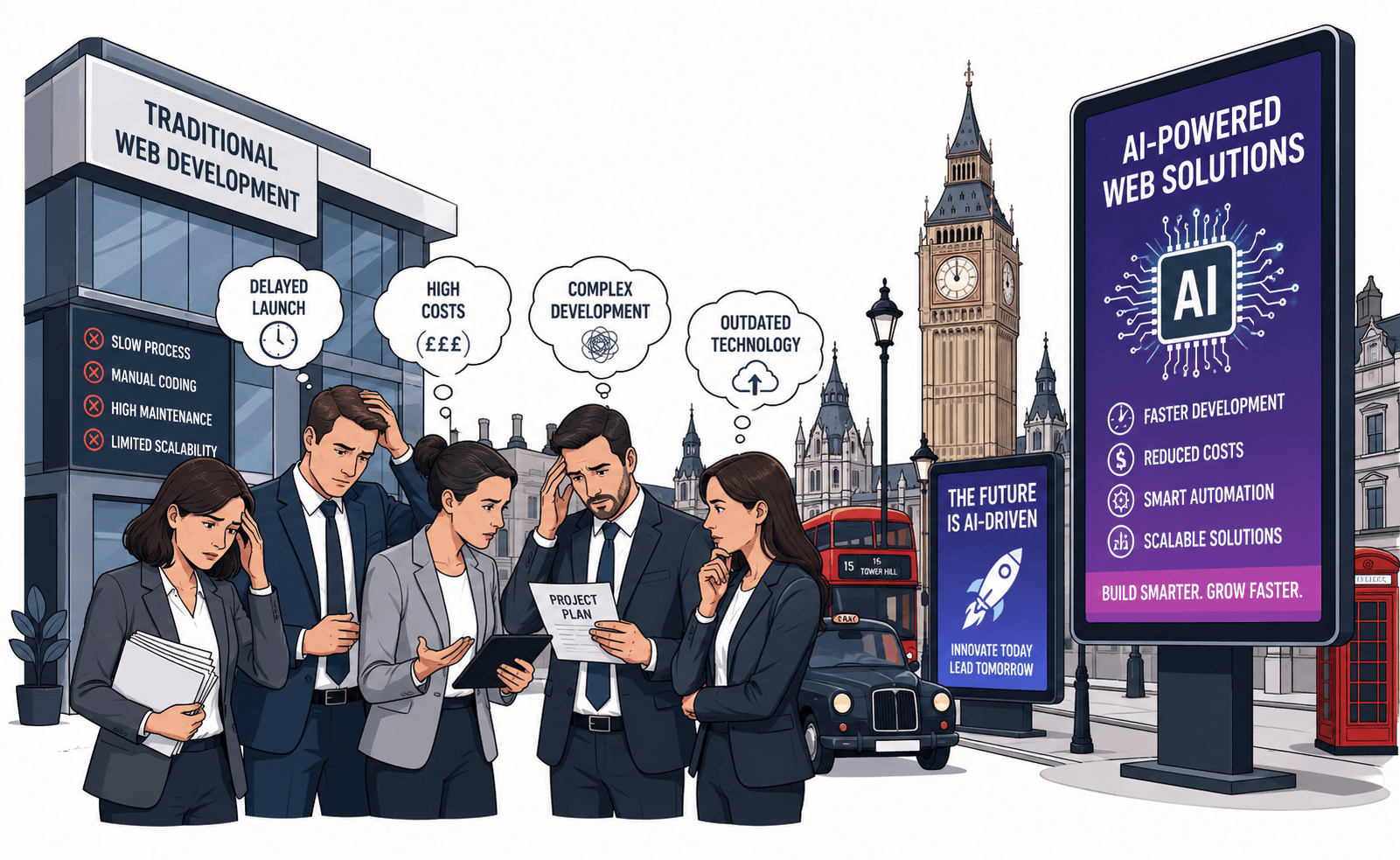


AI-powered web development is changing two different parts of the web at the same time. Development teams can use AI to assist with coding, testing, debugging, documentation, and analysis, while businesses can also add AI capabilities such as search, recommendations, support assistants, content classification, and workflow automation to the web products their customers and employees use.
Those two ideas are often mixed together. Using an AI coding assistant does not automatically make a website intelligent, and adding a chatbot does not mean the underlying application has been designed around AI. A useful AI web strategy begins by identifying the actual problem: slower development, repetitive engineering work, difficult content discovery, customer-service load, weak search, complex internal workflows, or another measurable constraint.
AI can help when it reduces that constraint without weakening security, accessibility, performance, maintainability, or business control. It can also create new problems when generated code is trusted without review, customer data is collected without a clear purpose, or an AI feature is added only because competitors appear to have one.
The practical shift in 2026 is therefore not from “traditional websites” to “AI websites.” It is from treating AI as a novelty to deciding deliberately where it belongs in the development process and where it belongs in the product.
What Does AI-Powered Web Development Actually Mean?
AI-powered web development means using artificial intelligence either to assist the process of designing, building, testing, and maintaining web software or to provide AI-driven capabilities inside the finished website or application. These are different use cases and should be evaluated separately because they involve different users, data, risks, architecture, and measures of success.
AI-assisted development improves the engineering workflow
Development teams may use AI for tasks such as:
- Generating code suggestions
- Explaining unfamiliar code
- Drafting unit tests
- Finding possible defects
- Refactoring repetitive code
- Generating technical documentation
- Assisting with debugging
In these cases, the AI primarily affects how software is produced.
AI-enabled websites change what the product can do
A web application may use AI for:
- Natural-language search
- Customer-support assistance
- Product recommendations
- Document extraction
- Content classification
- Workflow assistance
- Knowledge retrieval
Here, AI becomes part of the application architecture and creates ongoing requirements around data, models, APIs, evaluation, monitoring, cost, and user experience.
The distinction affects project scope
A business using AI internally to accelerate development may not need any AI infrastructure in the production application. A business adding an AI assistant for customers may need model APIs, retrieval, permissions, conversation state, analytics, fallback behavior, and ongoing evaluation.
That difference should be clear before requirements are estimated.
AI Does Not Replace the Fundamentals of Good Web Development
AI can change how software is produced, but it does not remove the need for sound application architecture.
A production web application still needs
- Clear requirements
- Accessible interfaces
- Reliable authentication
- Authorization
- Database design
- API contracts
- Performance engineering
- Testing
- Monitoring
- Deployment controls
Generated code still becomes owned code
When AI produces code that enters a production codebase, the development team still owns responsibility for:
- Correctness
- Security
- Maintainability
- Licensing review where applicable
- Testing
- Future changes
AI can accelerate a poor architecture too
A development team can generate features quickly while still creating:
- Duplicated logic
- Weak boundaries
- Unnecessary dependencies
- Inconsistent validation
- Difficult-to-maintain code
Speed is useful only when the product remains understandable after the first release.
Teams evaluating a new or existing application can review KSoft Technologies' custom web application development approach, which covers frontend, backend, API, cloud, testing, and modernization requirements around production web systems.
Where Can AI Assist the Web Development Lifecycle?
AI can support several development stages, but its value varies by task.
Requirements and discovery
AI can help teams organize:
- Interview notes
- Feature requests
- Existing documentation
- Support feedback
It can summarize recurring themes, but product owners still need to decide which problems deserve implementation.
UI and frontend development
AI tools can assist with:
- Component scaffolding
- Form structure
- CSS suggestions
- Responsive-layout adjustments
- Accessibility checks
The output still needs review across browsers, devices, keyboard navigation, screen readers, and real content states.
Backend development
AI can help generate or explain:
- API handlers
- Validation logic
- Database queries
- Integration code
Authentication, authorization, transactional behavior, data integrity, and error handling require particular care because apparently valid generated code can still implement the wrong business rule.
Testing
AI can assist in creating:
- Unit-test cases
- Edge-case ideas
- Regression scenarios
- Test-data structures
It does not remove the need to determine what the application is actually supposed to do.
Documentation and maintenance
AI can summarize code, explain modules, draft migration notes, or help engineers investigate unfamiliar parts of a system. This is especially useful when the source code is paired with trustworthy project context rather than evaluated in isolation.
Can AI Make Web Development Faster?
AI can reduce time spent on some repetitive development tasks, but it does not guarantee a shorter overall project. Development speed still depends on requirement clarity, architecture, integration complexity, security, testing, review, deployment, and how much AI-generated work must be corrected before it is production-ready.
AI works well on repeatable implementation work
Examples include:
- Boilerplate generation
- Test scaffolding
- Code explanation
- Routine refactoring
- Documentation drafts
Ambiguous requirements can erase the time saved
If the team does not agree on:
- User roles
- Business rules
- Data ownership
- Workflow states
- Success criteria
AI can generate the wrong solution quickly.
Review effort belongs in the measurement
A useful productivity comparison should include:
- Generation time
- Review time
- Correction time
- Testing time
- Rework after integration
A development team should measure completed, accepted work rather than the amount of code generated.
AI Coding Assistants Work Best With Engineering Context
Code generation improves when the system understands more than a short prompt.
Useful context includes
- Framework version
- Existing architecture
- Database schema
- API contracts
- Validation rules
- Testing conventions
- Project coding standards
Repository conventions matter
A technically valid function can still be wrong for a project if it ignores:
- Existing abstractions
- Authentication patterns
- Error-handling conventions
- Shared components
- Data-access boundaries
More context is not automatically better
Development tools should receive the minimum relevant code and documentation needed for the task. Large amounts of unrelated context can increase cost and make it harder to identify which instructions or files matter.
Generated Code Needs the Same Review as Human-Written Code
AI output can look convincing even when it contains subtle mistakes.
Review business logic
Confirm whether the implementation handles:
- User roles
- Permissions
- Status transitions
- Pricing rules
- Edge cases
Review security boundaries
Check:
- Authentication
- Authorization
- Input validation
- Output encoding
- Secret handling
- File uploads
Review dependency choices
Generated solutions may introduce libraries simply because they are common in examples. Confirm that each dependency is:
- Necessary
- Maintained
- Compatible with the project
- Appropriate for the deployment environment
AI-Generated Tests Do Not Replace a Testing Strategy
AI can create test cases, but the quality of those tests depends on the specification the system receives.
Unit tests
AI can quickly generate cases around a function's expected inputs and outputs.
Integration tests
These should verify real boundaries such as:
- API to database
- Application to payment provider
- Authentication to authorization
- Frontend to backend
End-to-end testing
Critical user workflows should still be tested through the complete application.
Test the requirement, not merely the generated implementation
If AI writes both the feature and tests based on the same misunderstanding, the tests may confirm the wrong behavior. Expected outcomes should come from product requirements and business rules.
AI Features Inside a Website Need a Separate Product Case
A development team may successfully use AI internally without the finished website needing any AI capability.
Add AI to the product only when it improves a customer or employee job
Examples might include:
- Finding information in a large knowledge base
- Searching a complex catalog conversationally
- Classifying documents
- Summarizing account information
- Helping users complete a complicated workflow
Do not add an AI interface when normal UI is clearer
A dropdown may be better than a chatbot when the user has five known choices.
A conventional search field may be better when exact keyword lookup already works well.
A deterministic form may be better when the required fields are fixed.
How Should Businesses Decide Whether a Website Feature Needs AI?
A web feature needs AI when the user problem involves language, ambiguity, prediction, classification, recommendation, or complex information retrieval that conventional rules handle poorly. If the task has a small number of known states and exact business logic, ordinary application code is usually easier to test, explain, secure, and maintain.
Start with the user job
Ask:
- What is the user trying to accomplish?
- Why is the current interface insufficient?
- What does AI make easier?
Identify the uncertain part
AI may help when the application must interpret:
- Natural language
- Images
- Documents
- Large knowledge sources
- Behavior patterns
Keep exact rules deterministic
Do not ask a model to decide:
- Whether a required field exists
- Whether a user has a role
- Whether a payment succeeded
- Whether an account owns a record
when the application can determine those facts directly.
AI Search Can Improve Complex Information Discovery
Search is one of the clearer uses of AI inside content-heavy web products.
Traditional search works well for exact terms
If a user knows the:
- Product name
- Document title
- Reference number
keyword or structured search may be sufficient.
Semantic retrieval helps with meaning
A user may ask a question using different words from the source document.
AI-assisted retrieval can help identify relevant information by meaning rather than exact keyword match.
Retrieval should retain source references
For business or technical information, users may need to know:
- Which document was used
- Whether it is current
- Which passage supports the answer
AI Customer Support Needs Boundaries, Not Just a Chat Interface
An AI support assistant can help customers find information, but the architecture matters more than the appearance of the chat window.
Define what the assistant can answer
For example:
- Product questions
- Policy explanations
- Order-status guidance
- Troubleshooting steps
Define what requires account context
A personalized response may require:
- Authenticated identity
- Order history
- Subscription state
- Support history
Define what requires escalation
Examples include:
- Security-sensitive account problems
- Unusual refunds
- Contract disputes
- Cases where required information is missing
Do not allow the chatbot to invent business policy
Policies should come from controlled business sources, not from whatever answer sounds plausible.
Personalization Should Begin With a Defined Customer Benefit
The live article presents real-time personalization as a broad advantage of AI-powered web development. Personalization can be useful, but only when it improves a specific customer decision.
Useful examples can include
- Relevant product recommendations
- Previously viewed items
- Preferred location
- Relevant account actions
- Content recommendations
Not all personalization requires AI
Some experiences can be handled with:
- Stored preferences
- Business rules
- Customer segments
- Previous actions
AI becomes useful when the matching problem is more complex
For example, a large catalog may require recommendation or ranking across many possible items and signals.
AI Personalization Does Not Automatically Increase Conversions
The existing article links personalization directly to conversion, engagement, retention, and revenue. Those outcomes should be measured rather than assumed.
Define the expected behavior
Depending on the feature, that could be:
- Finding a relevant product
- Completing checkout
- Discovering appropriate content
- Completing a support task
Compare against the existing experience
A personalized experience should outperform a reasonable baseline before the added model, data, and maintenance cost is justified.
Watch for harmful personalization
Recommendations can reduce trust when they are:
- Irrelevant
- Repetitive
- Based on stale behavior
- Too intrusive
Customer Data Creates Responsibility Alongside Personalization
AI web features may depend on browsing behavior, purchase history, account information, documents, or user-generated text.
Collect data for a defined purpose
Ask:
- Why does the feature need this information?
- Can it work with less data?
- How long should the information be retained?
Restrict data access
An AI component should receive only the customer data required for the current task.
Do not expose sensitive context unnecessarily
A product-recommendation function generally should not need access to unrelated support, financial, or internal records.
AI-Generated Content Needs Editorial and SEO Controls
AI can assist with web content production, but bulk generation without review can create low-value pages.
Use AI to accelerate defined editorial work
It may help with:
- Draft structures
- Content briefs
- FAQ drafts
- Metadata alternatives
- Content classification
Human review should verify
- Accuracy
- Originality
- Brand voice
- Search intent
- Claims
- Internal links
Do not generate pages only to increase indexable volume
A larger website is not inherently more useful. Every indexed page should have a clear purpose for the intended reader.
AI-Powered Web Experiences Still Need Performance Budgets
AI features can add network requests, third-party scripts, streaming interfaces, analytics, and additional frontend states.
Protect the non-AI experience
A website should still load and provide core navigation reliably when an AI service is slow or unavailable.
Lazy-load noncritical AI functionality
If an AI assistant is not needed for initial rendering, avoid making the primary page experience depend on it.
Monitor latency end to end
A slow AI feature can be caused by:
- Model latency
- Retrieval
- Database queries
- External APIs
- Frontend rendering
AI Features Need Failure States Designed Before Launch
Traditional interface design often focuses on success paths. AI adds uncertainty that needs explicit treatment.
Useful failure states include
- No confident answer found
- Required data unavailable
- External model unavailable
- Request outside supported scope
- Human assistance required
A refusal or escalation can be better than a fabricated answer
The product should make it possible to say that the available information is insufficient.
Fallback paths should remain usable
Examples include:
- Traditional search
- Contact form
- Support ticket
- Manual workflow
AI Web Features Need Security Beyond Ordinary Prompt Instructions
AI components can receive untrusted user input, retrieved content, uploaded documents, or third-party data.
Prompt injection can affect tool-using features
Untrusted text may attempt to instruct an AI component to ignore application rules or reveal information.
Authorization belongs outside the model
The application should independently determine:
- Who the user is
- Which records they can access
- Which actions they can perform
Validate tool inputs
If an AI feature can call APIs, create records, or perform workflow actions, the application should validate those operations before execution.
Separate read and write capability
A support assistant that needs to read order status does not necessarily need permission to modify the order.
AI Features Need Evaluation, Not Just Functional Testing
A conventional feature may return a predictable result for a known input. AI output can vary, so testing needs another layer.
Build representative evaluation cases
Include:
- Normal requests
- Ambiguous requests
- Missing information
- Unsupported questions
- Adversarial instructions
Define what success means
Depending on the feature, measure:
- Answer correctness
- Retrieval relevance
- Task completion
- Escalation quality
- Policy compliance
Re-run evaluations when the system changes
Regression testing is useful when teams change:
- Models
- Prompts
- Retrieval sources
- Tools
- Business rules
Observability Matters After AI Reaches Production
Teams need to understand how AI features behave under real usage.
Monitor product-level signals
Depending on the use case:
- Successful task completion
- Fallback use
- Escalation
- Abandonment
- User feedback
Monitor technical signals
- Latency
- Errors
- Model failures
- Retrieval failures
- Tool failures
Do not log more customer information than necessary
Debugging requirements should be balanced with privacy and data-retention responsibilities.
AI Cost Should Be Measured at Feature Level
The cost of an AI-powered website is not just the cost of building the interface.
Ongoing AI costs may include
- Model inference
- Embedding generation
- Vector retrieval
- Search
- Storage
- Third-party APIs
- Monitoring
- Evaluation
Usage patterns matter
A support assistant used occasionally has a different cost profile from an AI feature invoked during every product search or page interaction.
Measure cost per useful outcome
Depending on the feature, that may be:
- Resolved support request
- Successful search
- Processed document
- Completed internal task
Use an AI Web Development Fit Framework
A practical way to evaluate an AI web feature is to use five questions: Problem → Uncertainty → Data → Control → Proof.
1. Problem
Define the user or engineering problem before selecting AI.
- What is difficult today?
- Who experiences the problem?
- What happens if it remains unchanged?
2. Uncertainty
Identify whether the feature actually needs model reasoning.
- Does it interpret language?
- Does it classify complex input?
- Does it retrieve by meaning?
- Does it make recommendations?
3. Data
Define the information required.
- Where does it come from?
- Is it trustworthy?
- What permissions apply?
4. Control
Define the boundaries.
- What can AI recommend?
- What can it execute?
- What requires deterministic validation?
- What requires human approval?
5. Proof
Define how the feature will be evaluated.
- What indicates a useful answer?
- What indicates task completion?
- What baseline will it be compared against?
AI belongs in a web product when it solves a problem that benefits from uncertainty, not when it makes a familiar feature sound more advanced.
Illustrative Scenario: An Ecommerce Business Considering AI Search
Consider an ecommerce business with a large product catalog and a conventional keyword search. This is an illustrative scenario, not a KSoft Technologies client case.
The initial idea is broad
The business plans to add:
- AI chatbot
- Personalized home page
- AI search
- Generated product descriptions
- Automated customer support
Customer behavior reveals a narrower problem
Search logs and support questions show that customers frequently describe what they need without knowing the exact product terminology.
A customer might search for a use case rather than a product name.
The first AI feature focuses on discovery
The team tests semantic and natural-language search while preserving:
- Conventional keyword search
- Category filters
- Product availability rules
- Existing checkout
Product data remains authoritative
The AI layer can help identify relevant products, but pricing, availability, variants, and inventory still come from the ecommerce system.
The team defines measurable proof
It evaluates whether customers:
- Find relevant products
- Use fewer unsuccessful searches
- Continue into the product journey
Other AI features remain optional
If search creates useful evidence, the business can evaluate recommendations or support assistance separately rather than introducing every AI capability at once.
Use an AI Web Feature Decision Matrix
| Web Requirement | Better Starting Point | Reason |
|---|---|---|
| Fixed form validation | Conventional application logic | Required rules are known and should behave predictably. |
| Developer code explanation or scaffolding | AI-assisted development | AI can reduce repetitive engineering work while developers review the output. |
| Exact catalog or document lookup | Traditional search | Known keywords and structured filters may already solve the problem. |
| Natural-language discovery across large content | AI-assisted search | Semantic retrieval can help when users describe intent rather than exact terminology. |
| Open-ended support questions | AI assistant with controlled knowledge | Language interpretation and retrieval can help, with escalation for unsupported cases. |
| High-impact account or transaction action | AI plus deterministic controls and approval | Authorization and critical business rules should remain outside model reasoning. |
Use a Pre-Implementation AI Web Development Checklist
Problem
- What specific development or user problem are we solving?
- Can the current baseline be measured?
AI fit
- Does the task actually require language understanding, prediction, classification, recommendation, or semantic retrieval?
- Would deterministic software be simpler?
Data
- Which data sources are required?
- Which system owns the truth?
- Does the feature need personal or sensitive information?
Architecture
- Which model or AI service is required?
- Does the feature need retrieval?
- Does it need tool or API access?
Security
- Can untrusted user content reach the model?
- Are authorization decisions enforced outside AI?
- Are read and write permissions separated?
User experience
- What happens when AI is uncertain?
- Is there a conventional fallback?
- Can the user reach human support where necessary?
Evaluation
- What test cases represent real usage?
- How will correctness or task success be measured?
- What happens when the model or prompt changes?
Performance
- What latency is acceptable?
- Can the page function when the AI service is unavailable?
Cost
- How frequently will the feature run?
- What is the cost per useful outcome?
- What ongoing monitoring and evaluation will it require?
Where Should AI Actually Fit Into Your Web Product?
Assess the user problem, data, architecture, security, performance, evaluation, and operating cost before adding AI to a website or web application.
Assess Your Web ApplicationDevelopment Teams Need Clear Rules for Using AI Coding Tools
AI coding assistants can reduce repetitive engineering work, but teams need a shared policy for where generated code is acceptable, what must be reviewed, and which source files or credentials should never be exposed to external tools.
Define acceptable use
A practical policy may allow AI assistance for:
- Code explanation
- Test scaffolding
- Documentation drafts
- Routine refactoring
- Boilerplate generation
Define restricted use
More sensitive areas may require stronger controls, including:
- Authentication logic
- Authorization rules
- Payment processing
- Security-sensitive infrastructure
- Production secrets
Developer accountability does not change
The engineer approving a pull request remains responsible for understanding what is being merged. AI-generated code should never be treated as correct simply because it compiles or looks familiar.
Sensitive Source Code and Secrets Need Explicit Protection
Development teams should understand what data an AI coding tool receives and where that data is processed.
Do not expose secrets
Prompts and shared code should not contain:
- API keys
- Database passwords
- Private tokens
- Production credentials
- Customer secrets
Review third-party tool settings
Teams should understand:
- What code is transmitted
- Whether prompts or code are retained
- Which repository scopes the tool can access
- How organization-level controls work
Use repository and environment separation
Development, staging, and production access should remain separate even if an AI assistant is embedded in the development workflow.
AI-Assisted Code Review Should Support, Not Replace, Engineering Review
AI can help identify possible defects or inconsistencies, but code review still requires knowledge of the product and business rules.
AI review can help surface
- Missing error handling
- Duplicated logic
- Potential edge cases
- Inconsistent naming
- Possible security concerns
Human reviewers still need to verify
- Business intent
- Architecture fit
- Security boundaries
- Data ownership
- Backward compatibility
Repository context matters
A suggestion that is technically valid in isolation may conflict with the conventions or abstractions already used by the application.
Testing AI-Assisted Development Requires More Than Unit Tests
AI-generated code should pass the same quality gates as any other production code.
Unit testing
Verify individual functions and business rules.
Integration testing
Check boundaries such as:
- Frontend to API
- API to database
- Authentication to authorization
- Application to payment provider
- Application to third-party services
End-to-end testing
Test complete user journeys such as:
- Sign-up
- Checkout
- Booking
- Account updates
- Support requests
Security testing
AI-generated code should be checked for:
- Input-validation gaps
- Authorization mistakes
- Improper secret handling
- Unsafe file processing
- Injection risks
AI Does Not Remove the Need for Accessibility Testing
AI can suggest accessible markup, but the final experience still needs real accessibility review.
Test keyboard navigation
Interactive elements should remain usable without a mouse.
Verify semantic structure
Check:
- Heading order
- Form labels
- Button names
- Link purpose
- Table semantics
Test dynamic AI interfaces
Chat, streaming responses, generated recommendations, and expanding result panels need appropriate focus management and accessible status communication.
AI output itself may need accessibility controls
Generated content should not produce:
- Broken heading structures
- Meaningless link labels
- Unlabeled controls
- Unreadable generated tables
Cross-Browser and Device Testing Still Matters
AI may help generate responsive code, but it cannot replace testing on the actual environments customers use.
Validate across
- Desktop browsers
- Mobile browsers
- Different viewport sizes
- Touch interactions
- Keyboard interactions
Test AI-specific interface states
Include:
- Loading
- Streaming
- Timeout
- No-result state
- Model failure
- Fallback state
Performance Testing Should Include AI Latency
An AI-powered feature may be technically correct but still feel unusable if responses are too slow.
Measure the entire request path
Latency can come from:
- Authentication
- Database queries
- Retrieval
- Model inference
- Third-party APIs
- Frontend rendering
Separate initial-page performance from AI-feature performance
A homepage or product page should not become slow simply because an optional AI assistant is available.
Retrieval-Augmented Generation Needs a Reliable Knowledge Layer
Retrieval-Augmented Generation, often called RAG, can help a web application answer questions using selected business content rather than relying only on a model's general knowledge.
Typical RAG flow
- Collect approved source content.
- Split it into useful retrieval units.
- Create embeddings or another search representation.
- Retrieve relevant sources for the user's query.
- Provide those sources to the model.
- Generate an answer grounded in the retrieved context.
RAG does not guarantee factual answers
The system can still retrieve:
- Wrong documents
- Outdated documents
- Incomplete context
- Conflicting sources
Knowledge quality matters before model quality
A stronger model cannot reliably repair a poorly maintained source library.
Vector Databases Are Useful Only When Semantic Retrieval Is Needed
Vector storage is often associated with AI applications, but it is not automatically necessary.
Use semantic retrieval when users search by meaning
This can help with:
- Support knowledge
- Large document collections
- Technical documentation
- Product discovery
Use conventional search when exact matching is sufficient
Structured databases, filters, full-text search, or exact identifiers may be better for:
- SKU lookup
- Order number search
- Known document IDs
- Fixed product filters
Embeddings Need a Clear Indexing and Refresh Strategy
If a knowledge source changes, the retrieval index may also need to change.
Define when content is re-indexed
Possible triggers include:
- Document publication
- Document update
- Product change
- Policy revision
Track source freshness
Retrieved chunks should be connected to:
- Source document
- Version
- Timestamp
- Access permissions
Remove stale content
Deleting a web page or policy document should also remove or invalidate the corresponding retrieval records.
Source Citations Improve Trust in AI Answers
When AI answers questions about business policies, technical documentation, or other reference material, showing the source can make the output easier to verify.
Citations help users answer
- Where did this answer come from?
- Is the document current?
- Can I inspect the original source?
Citations are not proof of correctness by themselves
The retrieved source must actually support the generated statement.
Hallucination Control Starts With Product Design
There is no single switch that eliminates incorrect model output.
Reduce unsupported answering
The application can require the model to answer only when suitable source material is available.
Allow explicit uncertainty
Useful responses include:
- “I could not find enough information.”
- “This request needs human review.”
Restrict unsupported domains
A product-support assistant should not behave as though it is authorized to answer unrelated legal, medical, financial, or account-policy questions.
AI Chatbots Need Product Architecture Beyond a Message Box
A chat interface is only the visible layer of an AI assistant.
The backend may need
- Conversation state
- User identity
- Retrieval
- Tool calling
- Rate limits
- Moderation or policy checks
- Analytics
- Fallback behavior
Define supported tasks
The assistant should have a clear product scope rather than attempting to answer every possible question.
Conversation State Should Be Separate From Business State
A chat history can provide useful conversational context, but it should not become the only record of important business events.
Conversation state may include
- Recent user messages
- Previous assistant answers
- Temporary preferences
Business state may include
- Order status
- Booking status
- Account permissions
- Support ticket state
- Payment state
Business state should remain structured
Critical application facts belong in the appropriate database or business system.
User Authentication Must Control Personalized AI Access
An AI assistant should not receive private account data simply because a user asks for it.
Authenticate the user first
The surrounding web application should establish identity.
Authorize each record request
Check whether the authenticated user is allowed to access:
- Order
- Invoice
- Support ticket
- Subscription
- Account information
Do not rely on the model to decide ownership
Authorization should remain deterministic application logic.
Tool Calling Turns a Chatbot Into a Workflow Interface
A chatbot that only retrieves information has one risk profile. A chatbot that can create or update records has another.
Possible tools include
- Check order status
- Create support ticket
- Update contact preference
- Request appointment
- Search CRM
Validate tool inputs outside the model
The application should check:
- Required fields
- User permissions
- Allowed values
- Record ownership
CRM and Support Integrations Need a Source of Truth
An AI assistant can coordinate customer information across systems, but it should not create a competing customer database.
CRM may own
- Customer identity
- Account information
- Sales history
Support software may own
- Ticket state
- Priority
- Assignment
The AI layer should read and write through controlled interfaces
This keeps customer-facing answers consistent with actual system state.
Human Escalation Needs to Be Designed Into AI Support
A support assistant should not treat escalation as an exception that was forgotten during development.
Escalate when
- The answer is uncertain
- The user requests a person
- The issue involves security
- The action exceeds the assistant's authority
- Required records cannot be found
Transfer useful context
A human support agent should receive:
- Customer identity
- Question summary
- Relevant account context
- Actions already attempted
Recommendation Systems Need a Business Objective
AI recommendations can help users navigate large product or content sets, but the objective needs to be explicit.
Possible objectives include
- Product relevance
- Content discovery
- Complementary-item discovery
- Reducing search effort
Do not optimize a proxy without checking customer value
More clicks do not necessarily mean better recommendations.
Rule-Based Recommendations May Be Enough
Not every recommendation system requires machine learning or generative AI.
Rules work well when
- The catalog is manageable
- Relationships are known
- Business logic is stable
Examples include:
- Accessories for a specific product
- Content based on selected category
- Location-based service options
AI becomes more useful as matching complexity grows
A larger catalog or complex intent may justify ranking based on more signals.
A/B Testing Can Separate AI Novelty From Product Value
A new AI feature can receive attention because it is new, not because it is better.
Compare against a reasonable baseline
For example:
- AI search vs. existing search
- AI recommendations vs. rule-based recommendations
- AI support vs. existing self-service flow
Measure the relevant outcome
Depending on the feature:
- Successful search
- Task completion
- Escalation
- Abandonment
- Accepted recommendation
Customer Consent and Data Purpose Should Be Clear
Personalization often depends on customer data.
Define why each data source is needed
Do not collect browsing, account, purchase, or behavioral data simply because the system can use it.
Limit data access by feature
A content recommendation component should not automatically receive unrelated customer records.
Retention rules matter
Businesses should define how long AI-related interaction and personalization data remains necessary.
AI Website Accessibility Includes Generated Content
Accessibility does not stop at the static page layout.
Generated responses should remain readable
AI should avoid producing:
- Improper heading structures
- Complex tables without context
- Ambiguous links
- Instructions that depend only on visual position
Dynamic interfaces need status communication
Users of assistive technology should be able to understand:
- When generation starts
- When content is updating
- When an error occurs
Progressive Enhancement Makes AI Features More Resilient
A web application should preserve core functionality where practical even if the AI layer fails.
Examples include
- Keep standard search alongside AI search
- Keep normal navigation alongside conversational discovery
- Keep support forms alongside an AI assistant
AI should enhance a working product
It should not make a basic customer journey unavailable because a model endpoint is temporarily down.
Fallback UI Should Be Designed Before the Model Fails
Users should not see a generic error after an AI request fails.
Provide a useful next action
Examples include:
- Try standard search
- Refine the request
- Open help documentation
- Contact support
Preserve user input where possible
A failed AI request should not force the customer to re-enter a long question unnecessarily.
Model API Architecture Should Expect Change
AI model providers, model versions, pricing, latency, and capabilities can change over time.
Keep provider-specific logic contained
Where practical, separate:
- Application business logic
- Prompt construction
- Provider API calls
- Response normalization
Do not over-abstract too early
A provider abstraction is useful when there is a realistic need to change or compare models. Building a complex abstraction layer for a small experiment may add more maintenance than value.
Rate Limits Need Product-Level Handling
External AI APIs may restrict request volume.
Plan for
- Temporary rate limiting
- Usage spikes
- Concurrent users
- Provider outages
The interface should degrade predictably
Do not leave the user waiting indefinitely when capacity is unavailable.
Timeouts Prevent AI Requests From Blocking the User Experience
Every AI call should have a defined time limit.
After a timeout
The application may:
- Retry a safe request
- Use a fallback
- Return a clear error
- Escalate
Retries should be bounded
Repeated retries can increase latency and cost without improving the result.
Caching Can Reduce Repeated AI Work
Some AI-powered features repeatedly request the same or similar information.
Potentially cacheable data includes
- Stable retrieval results
- Product summaries
- Frequently used reference information
Do not cache personalized or rapidly changing answers without care
Cache design should consider:
- User identity
- Freshness
- Permissions
- Source updates
Streaming Can Improve Perceived Responsiveness
Streaming model output can show useful content before the entire response is complete.
Streaming is useful for
- Long explanations
- Support responses
- Generated summaries
Streaming does not solve slow backend work
If retrieval or tool calls take several seconds before generation starts, the user may still experience significant delay.
Set Cost Limits Before Usage Grows
AI cost can change sharply as traffic increases.
Monitor
- Requests per user
- Tokens per request
- Retrieval operations
- Tool calls
- Retries
Use quotas where appropriate
Internal or customer-facing AI features may need:
- Usage limits
- Rate limits
- Plan-based access
Prompt Injection Is a Web Application Security Problem
AI-powered web features may process user input, uploaded files, retrieved documents, emails, or external web content. Any of those sources can contain instructions intended to manipulate the model.
Direct prompt injection
A user explicitly attempts to override the application's intended behavior.
Indirect prompt injection
Malicious instructions are embedded inside content the AI retrieves or reads.
Do not treat untrusted content as system policy
External text should never be able to redefine:
- User permissions
- Tool access
- Financial limits
- Business rules
Data Exfiltration Risk Increases When AI Can Read and Send
An AI feature with access to sensitive data and outbound tools needs strong boundaries.
Separate capabilities where possible
An assistant that reads confidential records may not need:
- Email sending
- External web posting
- File-sharing tools
Validate outbound data
Check whether generated output contains:
- Secrets
- Private customer information
- Internal-only records
Tool Authorization Must Be Checked on Every Action
An AI request should not bypass the same access rules used by the rest of the application.
Validate
- Authenticated user
- Role
- Record ownership
- Requested operation
Keep the model out of the authorization decision
The model can propose an action. The application decides whether the action is permitted.
How Should Businesses Evaluate AI-Powered Web Features?
Businesses should evaluate AI-powered web features against the user task they are supposed to improve. Useful measures include correctness, retrieval relevance, groundedness, task completion, escalation quality, latency, fallback use, policy compliance, and operating cost. Evaluation should be repeated whenever models, prompts, retrieval sources, or connected tools change.
Correctness
Does the feature return an acceptable answer or action?
Retrieval relevance
Did the system select the right supporting information?
Groundedness
Does the generated answer match the provided sources?
Task completion
Can the user actually finish the intended job?
Escalation quality
Does the system stop or ask for help when it should?
Policy compliance
Does it respect:
- Permissions
- Data boundaries
- Tool limits
Regression testing
Maintain representative test cases and run them after changes to:
- Model
- Prompt
- Retrieval
- Tools
- Business rules
What Does AI-Powered Web Development Cost?
AI-powered web development cost depends on the normal web application scope plus the AI architecture required for the feature. Model usage, retrieval, infrastructure, integrations, evaluation, security, monitoring, and maintenance may create ongoing costs that do not exist in a conventional feature, so responsible estimates need actual requirements.
Standard web development still contributes to cost
That can include:
- UI/UX
- Frontend
- Backend
- Database
- Authentication
- Testing
- Cloud deployment
AI-specific architecture may add
- Model API integration
- RAG pipeline
- Vector storage
- Prompt and policy management
- Evaluation system
- AI observability
Operating costs continue after launch
These can include:
- Inference
- Embeddings
- Search
- Storage
- External tools
- Monitoring
Human review remains part of the cost
If employees routinely need to correct AI answers or inspect every result, that review effort should be included in the business case.
Build vs. Buy Depends on Where the Differentiation Lives
Not every AI capability needs to be built from scratch.
Buying can make sense when
- The problem is common
- A mature product already solves it
- Deep customization is unnecessary
Custom development can make sense when
- The workflow is unique
- Business-system integration is central
- Permissions are complex
- The AI experience is part of product differentiation
Evaluate integration cost, not only subscription price
A purchased product may still require significant work around:
- Identity
- Data synchronization
- CRM
- ERP
- Analytics
- Support workflows
For teams comparing broader web architecture decisions, KSoft Technologies' guide to key technologies in modern web development provides additional context on frontend, backend, database, and deployment choices.
Hosted AI APIs and Self-Hosted Models Solve Different Problems
Using a hosted model API can reduce infrastructure work, while self-hosting provides a different level of operational control.
Hosted APIs can simplify
- Initial integration
- Scaling
- Model access
- Infrastructure maintenance
Self-hosting may provide more control over
- Deployment environment
- Model selection
- Data path
- Infrastructure tuning
Self-hosting also creates operational responsibility
Teams may need to manage:
- GPU infrastructure
- Scaling
- Model serving
- Updates
- Monitoring
The decision should follow the use case
Do not self-host merely because greater control sounds preferable. Compare actual data requirements, latency, scale, compliance needs, engineering capacity, and cost.
When Is a Normal Website Enough?
A normal website is enough when users can complete their goals reliably with navigation, forms, search, filters, account functionality, and deterministic application logic. AI should not be added merely to modernize the interface. If the user problem has no meaningful uncertainty, language interpretation, prediction, recommendation, or complex retrieval need, conventional web development is usually the cleaner choice.
Examples include
- Simple brochure websites
- Known service inquiries
- Small product catalogs
- Fixed booking forms
- Basic account portals
AI can be added later if evidence reveals a real problem
A conventional architecture does not prevent future AI integration.
How Should Teams Move From AI Experiment to Production Feature?
Move an AI web feature into production in stages: prove the user problem first, test the AI capability with limited scope, evaluate it against representative cases, add security and fallback controls, measure real usage, and expand only when the production evidence supports additional capability or autonomy.
Stage 1: Problem validation
Confirm that the current experience has a measurable limitation.
Stage 2: Narrow prototype
Test the smallest AI capability required to address that limitation.
Stage 3: Controlled pilot
Add:
- Realistic data
- Authentication
- Evaluation
- Fallback behavior
Stage 4: Production safeguards
Add:
- Authorization
- Rate limits
- Monitoring
- Cost controls
- Regression tests
Stage 5: Evidence-based expansion
Add more AI functionality only if the existing feature demonstrates useful performance against its baseline.
Use a Final AI Web Development Checklist
Business fit
- What user or engineering problem does AI solve?
- Is there a measurable baseline?
Architecture
- Is AI actually required?
- Could conventional application logic solve the problem?
- Does the feature need retrieval, tools, or recommendations?
Data
- What data is required?
- Which system owns each source?
- How is stale data removed?
Security
- Can untrusted content reach the AI system?
- Are authorization decisions outside the model?
- Can the AI access only necessary records?
User experience
- What happens when AI is wrong?
- What happens when AI is unavailable?
- Is there a useful fallback?
Accessibility
- Can the feature be used with keyboard navigation?
- Are dynamic responses accessible?
- Does generated content preserve semantic structure?
Performance
- Is AI latency acceptable?
- Does the base page remain fast?
- Are timeouts and retries controlled?
Evaluation
- Is correctness measured?
- Is retrieval quality measured?
- Is task completion measured?
- Are regression tests maintained?
Operations
- Are logs and metrics available?
- Are model failures visible?
- Can the feature be disabled safely?
Cost
- What is the cost per useful outcome?
- What does human review cost?
- How will cost change with traffic?
Build AI Around a Real Web Problem, Not the Trend
AI-powered web development is valuable when it helps a team build software more effectively or gives users a capability that conventional web architecture handles poorly. It is not a replacement for clear requirements, good user experience, accessible interfaces, secure application logic, reliable APIs, testing, or maintainable code.
For development teams, AI works best as an accelerator around engineering judgment. Generated code still needs review. Generated tests still need requirements. Sensitive source code and secrets still need protection.
For customer-facing products, AI should have an equally clear job. Search, support, recommendations, document processing, and workflow assistance can benefit from language understanding or semantic retrieval, but each feature needs reliable data, defined permissions, failure states, evaluation, observability, performance limits, and a conventional fallback where appropriate.
The practical next step is to choose one web-development or user-experience problem, establish the current baseline, and determine whether AI solves that problem better than a simpler architecture. Build the smallest useful version, measure it, and let evidence determine what should be added next.
Planning an AI-Powered Web Application?
Clarify the user problem, architecture, data, AI model, security boundaries, performance targets, evaluation plan, integrations, and operating cost before moving into production development.
Discuss Your Web Development PlanBusinesses considering the broader relationship between AI and software engineering can also review KSoft Technologies' article on how AI is changing software development for additional context on coding assistance, engineering workflows, testing, and developer responsibilities.
Frequently Asked Questions
What is AI-powered web development?
AI-powered web development means using artificial intelligence either to assist the process of designing, coding, testing, and maintaining web applications or to add AI capabilities inside the finished product. Examples include coding assistants, semantic search, support assistants, recommendations, document processing, and workflow automation. These use cases require different architecture, data, security, and evaluation decisions.
What is the typical cost for AI development?
AI development cost depends on the normal web application scope plus any model APIs, retrieval systems, integrations, security controls, evaluation, monitoring, infrastructure, and ongoing usage required by the AI feature. There is no responsible universal price range. A useful estimate starts with the specific user problem, expected traffic, data sources, and operating requirements.
What are the risks of implementing AI?
Risks include incorrect outputs, insecure generated code, prompt injection, sensitive-data exposure, weak authorization, unreliable retrieval, unexpected latency, model-service outages, and rising operating cost. These risks can be reduced through deterministic business rules, least-privilege access, testing, evaluation, monitoring, fallback paths, human review, and controlled deployment.
How does AI compare to traditional web development?
Traditional web development remains the foundation for interfaces, business logic, authentication, databases, APIs, testing, performance, and accessibility. AI adds flexible capabilities where language, prediction, recommendation, or semantic retrieval is useful. The strongest web applications usually combine deterministic software for known rules with AI only where model-driven behavior solves a specific problem.
How do I get started with AI in web development?
Start with one measurable engineering or user problem rather than adding AI across the entire website. Establish the current baseline, determine whether AI is actually necessary, identify required data and integrations, define security and fallback behavior, then build a narrow prototype. Expand only after the feature performs well against representative tests and real usage.
Does AI replace web developers?
No. AI can assist developers with code generation, explanation, testing, debugging, refactoring, and documentation, but production software still requires human judgment around requirements, architecture, security, accessibility, business rules, integrations, testing, and maintenance. AI changes parts of the engineering workflow rather than removing responsibility for the final software.
When should a website use AI?
A website should use AI when a meaningful user problem involves natural language, complex classification, prediction, recommendation, semantic retrieval, or flexible workflow assistance. If users can complete the task reliably with forms, filters, navigation, fixed rules, or conventional search, adding AI may increase cost and complexity without improving the experience.
Can AI improve website search?
AI can improve search when users describe intent or meaning rather than exact product names, document titles, or keywords. Semantic retrieval can help connect natural-language queries to relevant content. Conventional search should still be retained where exact identifiers, structured filters, or keyword matching already provide a faster and more predictable result.
What is RAG in web development?
Retrieval-Augmented Generation, or RAG, combines information retrieval with a language model so the application can answer using selected business content. A typical RAG system retrieves relevant documents or chunks and provides them to the model before generation. Its quality depends heavily on source accuracy, indexing, permissions, freshness, and retrieval relevance.
How do you secure an AI-powered website?
Secure an AI-powered website by keeping authentication and authorization outside the model, limiting AI access to necessary records and tools, validating all write actions, protecting secrets, defending against prompt injection, restricting data exposure, logging important actions, and providing safe failure paths. AI components should follow the same application-security boundaries as other production systems.
How do you evaluate an AI web feature?
Evaluate an AI feature against the actual user task. Depending on the use case, measure correctness, retrieval relevance, groundedness, task completion, escalation quality, latency, fallback use, policy compliance, and operating cost. Keep representative test cases and rerun them whenever the model, prompt, retrieval source, tool integration, or business rule changes.
Does every business need an AI website?
No. Many businesses are better served by a fast, accessible, well-structured website with clear navigation, reliable forms, useful search, and sound application logic. AI should be added only when it solves a defined problem better than conventional web functionality. A simple website is not outdated merely because it does not include generative AI.
Can AI integrate with CRM and ERP systems?
Yes. AI-powered web applications can connect with CRM, ERP, support, ecommerce, and other business systems through controlled APIs or tool interfaces. The AI layer should not become the source of truth. Identity, record ownership, permissions, financial rules, and important state changes should continue to be enforced by the underlying business systems.
Should I use a hosted AI API or a self-hosted model?
The choice depends on data requirements, scale, latency, engineering capacity, infrastructure control, and operating cost. Hosted APIs can reduce model-serving complexity and speed up integration. Self-hosting can provide more deployment control but introduces responsibility for model serving, infrastructure, scaling, updates, monitoring, and hardware. Neither option is universally better.
How do I control AI web development costs?
Control costs by matching model capability to the task, limiting unnecessary context, reducing repeated retrieval, caching stable results where appropriate, setting rate limits, bounding retries, monitoring usage, and measuring cost per useful outcome. Development cost should also include evaluation, observability, maintenance, and human review rather than only model API charges.
Watch more on AI-powered software, web development, business technology, and practical digital implementation:
