
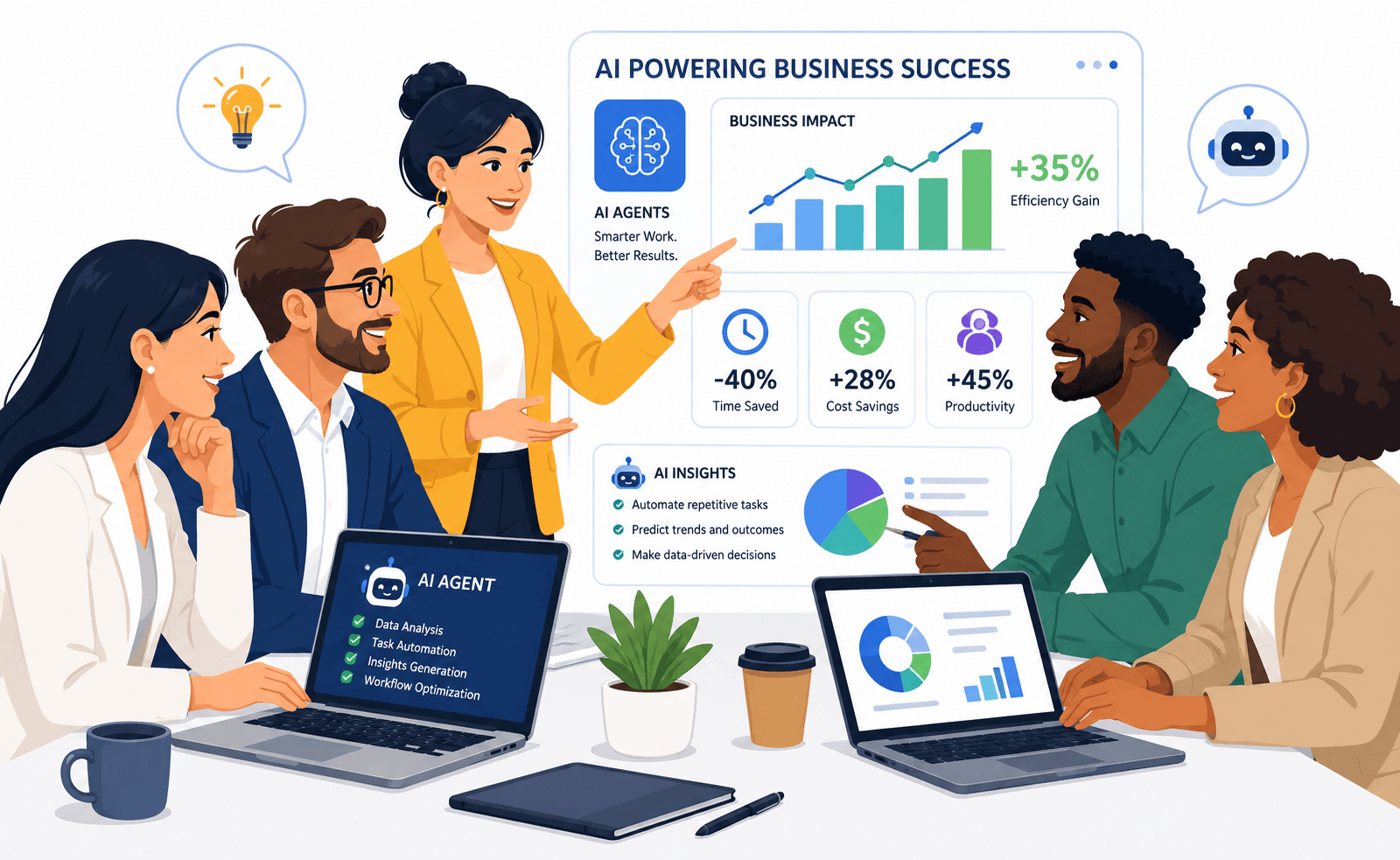


AI agents are moving business automation beyond systems that simply wait for a person to press a button. An agent can interpret a goal, gather context, choose an appropriate tool, complete several steps, inspect the result, and decide what should happen next. That makes AI agents for business useful for some workflows that were previously too variable or dependent on unstructured information for conventional automation.
But the word “agent” can also make ordinary workflow problems sound more advanced than they are. A fixed approval rule does not become better because a language model decides it. A customer-record update should not bypass authorization because an AI agent requested it. And a workflow that needs five model calls, repeated corrections, and constant human supervision may be less efficient than the process it replaced.
The better question in 2026 is not how much a business can automate with AI. It is which parts of a workflow require interpretation, which parts should remain deterministic, which actions can be safely delegated, and what evidence will show that the new system is actually better.
That distinction separates useful agentic automation from a costly AI experiment.
What Is an AI Agent in a Business Workflow?
An AI agent is a software system that can use a model to manage part of a workflow, decide what action to take next, use approved tools, inspect results, and continue until it completes the task or reaches a stopping condition. The important difference from a basic chatbot is that an agent can participate in workflow execution rather than only generate text.
A model provides reasoning, but tools create operational capability
An agent may be able to:
- Search an internal knowledge base
- Read customer records
- Query an ERP
- Inspect a support ticket
- Create a CRM note
- Draft an email
- Generate a report
The language model decides how to use those approved capabilities within the workflow.
An agent should also know when to stop
A production system needs clear exit conditions such as:
- Task completed
- Required information unavailable
- Human approval required
- Tool failed
- Permission denied
- Maximum workflow steps reached
An agent that always tries to continue is not more autonomous. It is harder to control.
Agentic does not mean unrestricted
OpenAI's current guidance describes agents as systems that manage workflow execution and use tools within defined guardrails. It also recommends validating that a workflow genuinely needs agentic decision-making rather than using an agent where deterministic automation would be enough. OpenAI's practical guide to building AI agents provides this distinction directly.
AI Agents and Traditional Automation Solve Different Problems
Traditional automation is strongest when the workflow is predictable. AI agents become more useful when the workflow contains ambiguity, unstructured input, changing context, or several possible next actions.
Traditional automation works well for fixed rules
Examples include:
- If an invoice exceeds an approval threshold, route it to a manager
- If stock drops below a defined level, create an alert
- If a required field is missing, block submission
- If payment succeeds, update order status
These conditions are known in advance. Application logic can execute them consistently without requiring model reasoning.
AI agents become useful when interpretation is part of the work
Examples include:
- Understanding a long customer complaint
- Determining which internal policy applies
- Summarizing several documents before a decision
- Researching an account before sales outreach
- Classifying an unusual operational exception
The strongest architecture can combine both
An agent might interpret an incoming request and recommend an action, while ordinary software validates:
- User identity
- Record ownership
- Required fields
- Financial limits
- Allowed status transitions
This hybrid design keeps flexible reasoning where it is useful and predictable business rules where exact behavior matters.
Businesses comparing these models in more detail can review KSoft Technologies' guide to agentic workflows and traditional automation.
When Should a Business Use an AI Agent?
A business should consider an AI agent when a valuable workflow requires repeated interpretation, flexible decision-making, tool selection, or work across unstructured information that conventional rules handle poorly. If the task follows stable conditions and exact steps, deterministic automation is usually easier to test, cheaper to operate, and simpler to audit.
Good candidates have a clear workflow
Start with a process that already has:
- A known trigger
- A responsible business owner
- Defined inputs
- An observable outcome
Good candidates contain genuine judgment
Examples include:
- Classifying unusual requests
- Reviewing long documents
- Selecting relevant information from several sources
- Drafting a response based on context
- Deciding which approved tool should be used next
The outcome must matter enough to justify the operating cost
An agentic workflow may involve:
- Model inference
- Retrieval
- Tool calls
- Search
- Evaluation
- Logging
- Human review
If automating the task creates little operational value, the additional architecture may not be justified.
When Should a Business Not Use an AI Agent?
Do not use an AI agent simply because the workflow can be described in natural language. Fixed calculations, permission checks, required-field validation, predictable routing, database constraints, and other deterministic rules usually belong in conventional software. An agent should be introduced only where flexible reasoning creates a practical advantage.
Do not replace exact rules with probabilistic decisions
Examples include:
- Tax calculation
- Role-based authorization
- Payment limits
- Required compliance fields
- Inventory quantity updates
Do not use an agent to hide a poorly defined process
If employees disagree about:
- Who owns the task
- Which rule applies
- What completion means
- Which system is authoritative
the business process needs clarification before AI is added.
Do not automate a rare low-value task without a reason
A technically successful agent may still be a poor investment if the underlying workflow happens infrequently and saves little meaningful effort.
AI Agents Do Not Eliminate the Need for Business Rules
The existing article presents AI agents mainly as a new way to make businesses more adaptive. Adaptability can be useful, but operational systems still need firm boundaries.
Business rules should define what an agent is allowed to do
Examples include:
- A support agent can draft refunds but cannot issue them above an approved threshold
- A sales agent can create CRM notes but cannot change account ownership
- An operations agent can recommend inventory action but cannot alter financial records
Rules should be enforceable outside the model
Prompt instructions are not a replacement for:
- Authorization
- Database constraints
- API validation
- Approval workflows
KSoft Technologies explores this boundary further in its article on who should control business rules when AI operates software.
Tool Access Turns an AI Assistant Into an Operational Agent
An AI assistant can explain what should happen. An operational agent can interact with systems that make something happen.
Read-only tools create one level of risk
An agent may read:
- CRM records
- Product documentation
- Support tickets
- Inventory status
- Internal policies
Write tools create a different risk
An agent may be allowed to:
- Create a ticket
- Update a CRM field
- Send an approved message
- Change a workflow state
Financial and security actions require tighter controls
Examples include:
- Issuing refunds
- Changing user access
- Approving purchases
- Updating payment instructions
The model may recommend these actions, but the surrounding application should independently verify whether they are allowed.
Least-Privilege Permissions Should Be the Default
An agent should receive the minimum access required to perform its role.
A research agent may only need read access
There is little reason to give it permission to:
- Edit customer records
- Send messages
- Change account status
A communication agent may not need financial access
Separating permissions reduces the impact of:
- Incorrect reasoning
- Prompt injection
- Tool misuse
- Configuration mistakes
Permissions should be checked on every action
An earlier successful login does not mean every later action is authorized.
Validation can depend on:
- User
- Role
- Record
- Action
- Amount
- Workflow state
Human Oversight Should Match the Consequence of the Action
The existing article correctly identifies human involvement as important, but the practical question is not whether humans should always remain in the loop. It is where approval creates useful control.
Read-only analysis may need little intervention
An agent can often:
- Summarize reports
- Classify messages
- Research accounts
- Find relevant documents
without creating immediate operational side effects.
Drafting can be the next stage
An agent may prepare:
- Customer responses
- Sales outreach
- Internal recommendations
- Report summaries
while a person still decides whether the output should be used.
Approval should remain around higher-risk actions
Examples include:
- Refunds
- External commitments
- Pricing changes
- Account-access changes
- Financial actions
Autonomy can expand only after evidence supports it
Reliable performance on one narrow workflow does not justify broad autonomy across unrelated systems.
Prompt Injection Changes the Security Model of Agentic Automation
An AI agent may read instructions from users, documents, websites, emails, tickets, and connected tools. Some of that content is untrusted.
Direct prompt injection
A user may explicitly attempt to persuade the agent to ignore its intended rules.
Indirect prompt injection
Malicious instructions can be hidden inside:
- Emails
- Documents
- Web pages
- Retrieved knowledge
- Tool output
Untrusted content should never redefine permissions
A document should not be able to grant an agent permission to:
- Send confidential data
- Modify restricted records
- Bypass approvals
- Change security settings
Security controls must surround the model
Use:
- Least-privilege tool access
- Action validation
- Approval gates
- Input and output checks
- Audit logs
NIST's AI Risk Management Framework and Generative AI Profile provide a broader voluntary framework for identifying and managing AI risks across design, deployment, use, and evaluation. NIST's AI Risk Management Framework is useful context for organizations formalizing governance around production AI systems.
AI Agents Need Reliable Business Context
An agent can only make decisions using the information it receives.
Poor source data creates poor agent decisions
Examples include:
- Duplicate CRM records
- Outdated inventory
- Incorrect customer status
- Missing policy documentation
Define which system owns each business fact
For example:
- CRM owns customer relationship data
- ERP owns inventory and accounting records
- Support platform owns ticket state
- Identity system owns user access
The agent should not become a competing database
It should use controlled integrations to retrieve or update the authoritative system.
Agent Memory Is Different From Business State
AI memory can help retain useful context, but important operational state should remain explicit and structured.
Business state can include
- Ticket status
- Order state
- Approval state
- Customer ID
- Workflow stage
Do not keep critical state only inside conversation history
The application should be able to determine:
- What has already happened
- What remains
- Which action was approved
- Which action must not be repeated
Long-term memory also needs ownership
If an agent remembers:
- Customer preferences
- Workflow settings
- Business rules
the business should define how that information is validated, updated, and removed when it becomes incorrect.
Customer Service Is One of the Clearest AI Agent Use Cases
Customer-support workflows often contain a mixture of unstructured language, knowledge retrieval, policy decisions, and system actions.
An agent can help with intake
It may:
- Interpret the request
- Identify intent
- Find the correct customer account
- Determine which information is missing
An agent can retrieve relevant knowledge
That may include:
- Product documentation
- Support policies
- Order history
- Previous tickets
An agent can draft a resolution
But actions such as:
- Refunds
- Account changes
- Security resets
should still follow explicit authorization and approval rules.
Sales Agents Can Reduce Research and Administrative Work
Sales workflows contain several tasks that can benefit from AI without allowing the agent to make every commercial decision.
Account research
An agent may gather:
- Company information
- Relevant public developments
- Existing CRM history
- Account activity
Qualification support
The agent may compare the opportunity against:
- Industry
- Use case
- Business size
- Existing qualification rules
Drafting and CRM preparation
The agent may prepare:
- Outreach drafts
- Meeting summaries
- CRM notes
- Follow-up suggestions
Commercial commitments, pricing exceptions, and account ownership remain separate business decisions.
Operations Agents Work Best Around Exceptions
Routine operations often contain more deterministic rules than organizations first assume.
Keep repeatable rules in software
Examples include:
- Approval thresholds
- Required fields
- Inventory limits
- Status transitions
Use agents where exceptions require interpretation
An operations agent may help:
- Explain why an exception occurred
- Summarize related records
- Classify an unusual request
- Recommend the next approved action
This keeps the system understandable
AI handles ambiguity while predictable logic continues to control business invariants.
Finance Agents Need Stronger Boundaries Than General Productivity Agents
Financial workflows may benefit from document interpretation and exception review, but write actions can have significant consequences.
AI can assist with
- Invoice extraction
- Document classification
- Policy lookup
- Exception summaries
- Approval recommendations
Application logic should control
- Accounting rules
- Approval thresholds
- Ledger posting
- User permissions
- Payment execution
AI Agents Can Support Research Without Replacing Judgment
Research agents can collect and organize information across several sources.
Useful tasks include
- Market research
- Competitor monitoring
- Document comparison
- Technical research
- Internal knowledge synthesis
Source quality remains critical
An agent should distinguish:
- Primary sources
- Secondary commentary
- Outdated information
- Unsupported claims
The final decision may still belong to a person
Research automation can reduce information-gathering work without transferring business accountability to the model.
AI Agents Can Improve Cross-System Work Without Replacing System Ownership
The existing article frames AI agents as a way to break departmental silos. The operational version of that idea is more specific: agents can help move information across existing systems, but those systems still need clear ownership.
An agent may read from
- CRM
- ERP
- Project management software
- Support platform
- Internal knowledge
It may coordinate a workflow across them
For example:
- Read a support request.
- Check the customer's CRM record.
- Inspect an order in the ERP.
- Retrieve the relevant policy.
- Prepare a proposed response.
Each connected platform should remain authoritative for its own data
This prevents agent workflows from creating conflicting versions of:
- Customer status
- Orders
- Invoices
- Tickets
Real-Time Information Is Useful Only When the Decision Needs It
The existing article treats real-time AI analysis as an automatic advantage. The value depends on the workflow.
Real-time data is useful when timing changes the action
Examples include:
- Current inventory availability
- Live ticket state
- Recent transaction status
- Current account permissions
Real-time data is unnecessary when the source changes slowly
Examples may include:
- Stable policies
- Approved product documentation
- Long-term account information
Fresh data can still be wrong
Agents need:
- Reliable sources
- Clear timestamps
- Source-of-truth rules
Personalization Should Not Be Confused With Autonomous Customer Decisions
AI agents can use customer context to tailor responses, but personalization still requires boundaries.
Useful context can include
- Current account
- Recent interaction
- Purchase history
- Support history
- Customer preferences
More data is not automatically better
Agents should receive only the information needed for the task.
High-impact customer decisions require stronger controls
Examples include:
- Eligibility
- Pricing exceptions
- Refunds
- Account restrictions
AI Agents Need Evaluation Before They Need More Autonomy
A successful demonstration is not enough evidence for production use.
Evaluate task success
Did the agent complete the intended job?
Evaluate tool use
Did it:
- Select the correct tool?
- Provide valid inputs?
- Interpret the result correctly?
Evaluate policy behavior
Did it avoid:
- Unauthorized actions
- Unsupported commitments
- Restricted data exposure
Evaluate escalation
Did the agent ask for human help when:
- Information was missing
- Confidence was insufficient
- The action exceeded its authority
Observability Makes Agent Failures Debuggable
AI workflows can fail at several points.
Record useful traces
Depending on the workflow, trace:
- Agent step
- Tool called
- Tool result
- Decision made
- Approval state
- Failure state
Do not log sensitive data unnecessarily
Observability should support:
- Debugging
- Evaluation
- Auditability
without turning operational logs into another uncontrolled copy of confidential data.
Agent Reliability Includes Retries, Duplicate Protection, and Recovery
An agentic workflow interacts with systems that can fail or time out.
Retries need limits
An agent should not continue calling a failing service indefinitely.
Repeated actions can create duplicate side effects
This matters for:
- Emails
- Orders
- Payments
- CRM updates
- Ticket creation
Use idempotency where possible
The application should be able to recognize when the same action has already succeeded.
Partial workflows need recovery
If three of four steps complete, the system should know what remains rather than restarting everything blindly.
Use an AI Agent Opportunity Framework
A practical business assessment can use five questions: Work → Judgment → Tools → Risk → Value.
1. Work
Define the workflow precisely.
- What starts it?
- What information enters?
- What does completion look like?
2. Judgment
Identify where AI reasoning is actually useful.
- Does the step involve ambiguity?
- Does it involve unstructured information?
- Are several possible next actions valid?
3. Tools
List every connected system the agent needs.
- What can it read?
- What can it write?
- What requires approval?
4. Risk
Define what happens if the agent is wrong.
- Can the action be reversed?
- Can money move?
- Can sensitive data leave the organization?
- Can customer access change?
5. Value
Define the business outcome that justifies implementation.
- Less manual handling
- Faster case preparation
- Better response consistency
- Reduced repetitive research
- Improved workflow completion
An AI agent should earn autonomy one workflow at a time. Capability alone is not evidence that a business action should be delegated.
Illustrative Scenario: A Service Business Automating Customer Requests
Consider a growing B2B service company receiving customer requests through email and a support platform. This is an illustrative scenario, not a KSoft Technologies client case.
The initial idea is broad
The company wants an AI agent to:
- Read all emails
- Reply automatically
- Update the CRM
- Create support tickets
- Approve small credits
- Change account status
Workflow mapping reveals different risk levels
Reading and classifying a request is different from issuing a financial credit.
The first implementation is narrower
The agent receives permission to:
- Read incoming support messages
- Retrieve approved knowledge
- Read limited customer context
- Classify the issue
- Draft a response
Application logic controls operational state
The support platform remains responsible for:
- Ticket ownership
- Ticket status
- Account authorization
Humans approve sensitive actions
Credits, account changes, contractual commitments, and unusual exceptions remain behind an approval gate.
The business measures the workflow before expanding it
The team evaluates:
- Classification accuracy
- Accepted drafts
- Escalation quality
- Incorrect tool attempts
- Time spent correcting output
If the narrow workflow proves useful and controllable, additional actions can be introduced later.
Use an AI Agent Decision Matrix
| Workflow Condition | Better Starting Point | Why |
|---|---|---|
| Fixed rule with known inputs | Deterministic automation | Predictable logic is easier to test and audit. |
| Unstructured information requiring interpretation | AI assistant or agent | Model reasoning can organize and interpret variable input. |
| Research or drafting without system action | AI assistant | Useful output can be created without broad tool permissions. |
| Multi-step workflow across approved tools | AI agent | The agent can choose tools and manage intermediate steps. |
| High-risk transaction | Agent plus deterministic controls and human approval | Model reasoning should not be the sole authorization mechanism. |
| Complex workflow with several distinct specialist roles | Evaluate multi-agent architecture | Role separation may help when context, permissions, or responsibilities differ substantially. |
Businesses whose workflows contain genuinely separate AI roles can also review how multi-agent AI systems should be structured and governed before adding additional agents.
Use a Pre-Implementation AI Agent Checklist
Workflow
- Can the existing process be mapped clearly?
- What problem is the agent expected to solve?
- What indicates completion?
Deterministic rules
- Which decisions can already be expressed as exact rules?
- Which controls should remain outside AI?
Context
- Which records does the agent need?
- Which information is unnecessary?
- Which system owns each business fact?
Tools
- Which systems can the agent read?
- Which systems can it modify?
- Which write actions need approval?
Security
- Can the agent encounter untrusted content?
- Are permissions enforced outside prompts?
- Can sensitive data leave approved boundaries?
Human oversight
- Which decisions need review?
- When must the agent escalate?
Evaluation
- Can task success be measured?
- Can tool selection be tested?
- Can unsafe or incorrect behavior be detected?
Reliability
- Are retries bounded?
- Can duplicate actions be prevented?
- Can partial failures resume safely?
Economics
- What does one completed workflow cost?
- How much human correction is still required?
- What business value would justify ongoing operation?
KSoft Technologies works with businesses that are mapping repetitive workflows, integrations, approvals, and system handoffs through its business process automation service. AI agents should be introduced only where the mapped process shows a real need for interpretation or agent-controlled execution.
Which Parts of Your Workflow Actually Need an AI Agent?
Map the repetitive work, judgment points, connected systems, permissions, approval gates, and measurable outcome before adding autonomous actions.
Assess Your Automation WorkflowEmployee Adoption Determines Whether Agentic Automation Works in Practice
AI agents can be technically capable and still fail operationally if employees do not understand when to use them, when to question them, and who owns the workflow when something goes wrong.
Start with process ownership
Every agentic workflow should have a human business owner who understands:
- The purpose of the workflow
- The systems involved
- The acceptable outcome
- The escalation path
- The conditions under which automation should stop
Training should focus on judgment, not only tool usage
Employees need to understand:
- What the agent can do
- What the agent cannot do
- Which outputs require review
- Which actions are reversible
- How to report incorrect behavior
Role changes should be explicit
An agent may reduce repetitive work without removing the need for human responsibility.
For example, a support specialist may spend less time searching documentation and more time:
- Handling exceptions
- Reviewing sensitive cases
- Improving knowledge content
- Escalating product issues
Human-agent collaboration needs defined boundaries
A healthy operating model makes it clear whether the agent is acting as:
- Research assistant
- Drafting assistant
- Workflow coordinator
- Approved action executor
Single-Agent Architecture Should Be the Default Starting Point
Many businesses jump directly to multi-agent architecture because separate agents appear more specialized. In practice, one agent with a focused role and a manageable set of tools is often easier to secure, evaluate, observe, and maintain.
Use one agent when
- The workflow has one primary goal
- The same context is useful throughout
- The toolset is limited
- Permissions are similar
- Most steps are sequential
A single agent can still call many tools
It may:
- Read CRM data
- Search internal knowledge
- Check a support ticket
- Draft a response
without requiring a separate agent for every system.
Simplicity improves evaluation
With one agent, it is easier to determine:
- Why a tool was selected
- Which context influenced the answer
- Where a failure occurred
- Which prompt or policy needs adjustment
When Does One Agent Become a Multi-Agent System?
One agent should become a multi-agent system only when separate roles create a meaningful advantage through different permissions, specialized context, independent evaluation, or parallel execution. Splitting one straightforward workflow into several agents without those benefits usually increases handoffs, context transfer, cost, and failure points.
Different permissions can justify separation
A research agent may have read-only access, while an execution agent has narrowly scoped write permissions.
Different knowledge domains can justify specialization
For example:
- Billing specialist
- Technical-support specialist
- Account-security specialist
Parallel work can justify multiple agents
Several research agents may independently investigate:
- Competitors
- Markets
- Technical options
- Customer feedback
before a supervising agent combines the findings.
Multi-Agent Orchestration Needs Clear Ownership
Once several agents participate in a workflow, the business needs an explicit orchestration model.
The manager pattern centralizes control
A manager agent may:
- Receive the goal
- Select specialists
- Collect outputs
- Produce the final result
Handoff architecture transfers ownership
A general agent may route a task to a specialist that then becomes responsible for the next part of the interaction.
Agent-as-tool keeps one primary agent in charge
A primary agent may call a specialist agent only for a narrow task, then continue the workflow itself.
The orchestration pattern should match the workflow
Choose based on:
- Who should own the final answer
- Whether work can run in parallel
- Whether agents need different permissions
- Whether the user should interact with one or several specialists
MCP Can Standardize Tool Integration, but It Does Not Replace Access Control
Model Context Protocol can provide a structured interface for connecting AI applications to tools and data sources.
MCP can expose capabilities such as
- Search
- Read operations
- Structured actions
- Business-system queries
Authorization still belongs to the surrounding application
The system should independently verify:
- User identity
- Record ownership
- Allowed action
- Role permissions
- Approval state
Protocol access is not business permission
An available tool should not automatically mean the current agent or user is allowed to invoke every operation it exposes.
CRM Integration Should Separate Research From Record Modification
CRM-connected agents can reduce repetitive administrative work, but read and write operations should have different controls.
Lower-risk CRM actions include
- Account lookup
- Activity summary
- Pipeline research
- Meeting preparation
Write actions require stronger validation
Examples include:
- Updating opportunity stage
- Changing account owner
- Creating notes
- Changing contact data
Commercial decisions should remain governed
An agent should not independently approve pricing exceptions, close opportunities, or make contractual commitments unless explicit business rules allow it.
ERP Integration Requires Deterministic Business Controls
ERP systems often contain financial, operational, inventory, and procurement data where incorrect actions can have larger consequences.
AI can assist with interpretation
Examples include:
- Explaining an exception
- Extracting invoice information
- Summarizing purchase history
- Preparing an approval recommendation
Application logic should control critical rules
Examples include:
- Approval thresholds
- Ledger posting
- Tax calculation
- Inventory quantity
- User authorization
Email Agents Should Progress From Drafting to Controlled Sending
Email is a common early agent use case because the difference between assistance and action is easy to define.
Stage one: summarize
The agent reads incoming messages and identifies:
- Intent
- Priority
- Requested action
Stage two: draft
The agent prepares a suggested reply for human review.
Stage three: approved sending
A person explicitly approves the outgoing message.
Stage four: narrow autonomous sending
Only predictable, low-risk cases should move to autonomous delivery after sufficient evaluation.
Support Platform Integration Should Preserve Ticket Ownership
An agent can help with ticket handling without becoming the source of truth for support operations.
The support platform should remain authoritative for
- Ticket status
- Priority
- Assignee
- Customer identity
The AI agent can assist with
- Classification
- Knowledge retrieval
- Drafting
- Escalation recommendations
Do not let several agents update the same ticket independently
Conflicting writes can create inconsistent states and make auditing difficult.
Internal Knowledge Access Needs Permissions and Source Quality
Agents often depend on internal documents, policies, procedures, and product knowledge.
Useful sources include
- Product documentation
- Standard operating procedures
- Policies
- Approved FAQs
- Technical documentation
Retrieval permissions should match the user
An agent should not surface information that the current user would not normally be allowed to access.
Source quality affects agent quality
Outdated or conflicting documentation can produce unreliable recommendations even when the model behaves correctly.
Database Access Should Be Narrow and Structured
Direct unrestricted database access creates unnecessary operational risk.
Prefer controlled application functions
Expose specific actions such as:
- Get customer summary
- Find open invoices
- Update approved status field
rather than unrestricted query execution.
Validate every write
Check:
- Record ownership
- Allowed fields
- Input types
- Business constraints
Structured Outputs Make Agent Work Easier to Validate
Free-form text is useful for communication, but business workflows often need predictable data structures.
A structured response may include
- Intent
- Category
- Confidence
- Recommended action
- Required approval
Structured output can be validated before use
The application can check whether:
- Required fields exist
- Values are allowed
- Identifiers are valid
Do not confuse valid structure with correct reasoning
A perfectly formatted result can still contain a wrong decision, so evaluation remains necessary.
Guardrails Should Exist Outside the Prompt
Prompt instructions help define expected behavior, but they should not be the only control around an operational agent.
Use deterministic guardrails for
- Authorization
- Allowed tools
- Transaction limits
- Required approvals
- Input validation
Use output validation for
- Required schema
- Restricted content
- Invalid references
- Unsafe actions
Use workflow limits
Define:
- Maximum steps
- Maximum retries
- Timeouts
- Budget limits where appropriate
Approval Gates Should Follow Action Risk
Not every action needs the same approval requirement.
Low-risk actions may be automated earlier
Examples include:
- Internal classification
- Draft generation
- Read-only research
Medium-risk actions may require selective approval
Approval may be triggered by:
- Low confidence
- Unusual customer case
- Higher transaction value
- Missing information
High-risk actions should remain tightly controlled
Examples include:
- Financial transactions
- Security changes
- Contractual commitments
- Customer access decisions
Audit Logs Should Record What the Agent Actually Did
An AI workflow should leave enough evidence to reconstruct important actions.
Useful audit fields include
- Workflow ID
- User identity
- Agent role
- Tool invoked
- Action attempted
- Approval state
- Result
- Timestamp
Audit logs should focus on business events
The goal is not to store unlimited model text. It is to understand which important actions were requested, approved, executed, or rejected.
How Should Businesses Evaluate AI Agents?
Businesses should evaluate AI agents by measuring task success, tool selection, policy compliance, escalation quality, correction rate, failure recovery, and the final business outcome. A good answer in a demo is not enough. Production evaluation needs representative test cases and repeated checks when prompts, models, tools, or knowledge sources change.
Task success
Did the workflow actually complete the intended job?
Tool-selection accuracy
Did the agent choose the right:
- Tool
- Record
- Operation
Correction rate
Measure how often a human must fix:
- Facts
- Actions
- Drafts
- Workflow state
Escalation quality
A reliable agent should ask for help when:
- Information is missing
- Policy requires approval
- The request exceeds its authority
Policy compliance
Test whether the agent respects:
- Access boundaries
- Data restrictions
- Approval requirements
- Business rules
Regression Testing Is Required as the Agent Changes
Agent behavior can change even when the business workflow stays the same.
Regression triggers include
- Model changes
- Prompt changes
- Tool changes
- Knowledge-base changes
- Workflow changes
Maintain representative test cases
Include:
- Normal requests
- Ambiguous requests
- Missing information
- Unauthorized actions
- Tool failures
- Prompt-injection attempts
What Does an AI Agent Cost to Operate?
AI-agent operating cost depends on model choice, token usage, context size, tool calls, search, retrieval, retries, logging, evaluation, and human correction. Businesses should measure the cost of completing a useful workflow at an acceptable quality level rather than focusing only on the price of a single model response.
Model selection affects cost
Not every task requires the same reasoning capability.
Simple tasks such as:
- Classification
- Extraction
- Formatting
may not need the same model as complex synthesis or planning.
Context size affects cost
Passing unnecessary history to every request can increase usage without improving the outcome.
Tool calls add operational cost
External services may introduce:
- Search fees
- API charges
- Database usage
- Third-party service cost
Retries increase both cost and latency
Repeated failures can make a workflow expensive even when each individual model call appears inexpensive.
Caching may reduce repeated work
Stable reference information can sometimes be reused rather than retrieved or generated again.
Human Correction Is Part of the Real Automation Cost
A workflow that requires constant review may shift work rather than remove it.
Track correction effort
Measure:
- How often humans edit outputs
- How often they reverse actions
- How much time review takes
Compare the new process with the previous one
The relevant question is whether total human effort decreases without reducing quality or control.
Measure Cost Per Completed Workflow
Cost per model call is too narrow for production agent economics.
Include
- Model usage
- Search
- Retrieval
- Tool activity
- Retries
- Evaluation
- Human correction
Then compare cost with the business outcome
The workflow may justify its cost when it produces:
- Less repetitive handling
- Faster case preparation
- More consistent processing
- Better workflow completion
Those outcomes should be measured rather than assumed.
Productivity Claims Need a Clear Baseline
The existing article presents AI agents as a direct route to operational efficiency. That may happen, but productivity should be measured against the old workflow.
Define the baseline first
Measure:
- Current handling time
- Current error frequency
- Current escalation rate
- Current manual steps
Then compare the agent-assisted workflow
Look at:
- Completion time
- Correction effort
- Failure rate
- Cost
Do not use message volume as a productivity metric
More AI-generated activity does not necessarily mean more useful work.
Competitive Advantage Comes From Better Operations, Not Agent Adoption Alone
Using AI agents does not automatically create a competitive advantage.
The advantage must come from a business capability
For example:
- Faster customer response
- Better exception handling
- Reduced administrative effort
- Improved access to internal knowledge
Technology adoption is not the outcome
If competitors can deploy the same model and tools, differentiation comes from:
- Workflow design
- Business data
- Operational discipline
- Customer experience
How Should You Move From Assistance to Controlled Autonomy?
Businesses should increase AI-agent autonomy in stages: begin with read-only analysis, move to drafting, then allow human-approved actions, and only later automate narrow low-risk actions that have strong evaluation, clear permissions, reliable recovery, and measurable value. Broad autonomy should be earned through evidence rather than granted during the first implementation.
Stage 1: Read-only assistance
The agent:
- Reads
- Summarizes
- Classifies
- Recommends
Stage 2: Drafting
The agent prepares:
- Messages
- CRM updates
- Recommendations
but a human remains responsible for action.
Stage 3: Human-approved execution
The agent can execute an action only after explicit approval.
Stage 4: Narrow autonomous actions
Selected actions may become autonomous when they are:
- Low risk
- Well evaluated
- Reversible
- Protected by deterministic controls
Stage 5: Evidence-based expansion
Expand autonomy only when the current workflow remains reliable under real production conditions.
Use a Final AI Agent Implementation Checklist
Business problem
- Is there a real workflow problem?
- Can the desired business outcome be measured?
Architecture
- Would deterministic automation solve it?
- Would an AI assistant be enough?
- Does the workflow genuinely require an agent?
Agent scope
- Does the agent have one clear responsibility?
- Does it have explicit stop conditions?
Tools
- Which systems can the agent read?
- Which systems can it modify?
Permissions
- Is least-privilege access enforced?
- Are authorization checks outside the model?
Security
- Can untrusted content enter the workflow?
- Can confidential data leave through a connected tool?
Human oversight
- Which actions require approval?
- When must the agent escalate?
Evaluation
- Can task success be measured?
- Can tool selection and policy behavior be tested?
- Is regression testing available?
Reliability
- Are retries bounded?
- Are duplicate actions prevented?
- Can partial workflows recover safely?
Economics
- What is the cost per completed workflow?
- How much human correction remains?
- Does the business outcome justify continued operation?
Automate the Right Decisions, Not Everything
The practical value of the AI agent revolution is not that every business process should become autonomous. AI agents are useful when a workflow contains enough ambiguity, unstructured information, or tool-driven decision-making that ordinary automation cannot handle it cleanly.
The rest of the system still needs discipline. Fixed business rules remain deterministic. Tool access follows least privilege. Authorization sits outside the model. Human approval remains around higher-risk actions. Agent behavior is evaluated against real tasks, and production systems are monitored for failures, retries, duplicate actions, security issues, and human correction.
The same discipline should shape cost decisions. Model usage, context, tools, search, retries, evaluation, and review all contribute to the cost of agentic automation. What matters is whether the complete workflow produces enough operational value to justify that cost.
The practical next step is to choose one repetitive or judgment-heavy process, map it end to end, separate deterministic rules from AI decisions, and test the smallest level of agent autonomy needed to improve it.
Ready to Turn One Business Workflow Into a Controlled AI Agent Pilot?
Define the process, tool access, approval gates, evaluation criteria, security controls, and operating-cost model before expanding autonomous actions.
Discuss Your AI Agent PlanFrequently Asked Questions
What are AI agents and how can they help my business?
AI agents are software systems that can interpret goals, use approved tools, inspect results, and complete parts of a business workflow. They can help with research, classification, drafting, support, CRM preparation, internal knowledge retrieval, and other tasks where flexible reasoning is useful. Their value depends on workflow fit, permissions, evaluation, and reliable business controls.
How much does it cost to implement AI agents?
AI-agent implementation cost depends on workflow complexity, model usage, integrations, tool permissions, data access, security, evaluation, observability, human review, and ongoing maintenance. There is no responsible universal price range. Businesses should estimate both implementation and operating cost, then compare that total with the value of the workflow being improved.
What are the risks of integrating AI agents into my business?
Risks include incorrect tool use, unauthorized actions, prompt injection, sensitive-data exposure, duplicate actions, weak escalation, unreliable outputs, and unexpected operating cost. These risks can be reduced with least-privilege permissions, deterministic authorization, approval gates, structured validation, audit logs, regression testing, bounded retries, and human review for higher-impact decisions.
How do AI agents compare to traditional software solutions?
Traditional software is better for exact, stable rules and predictable workflows, while AI agents are useful when a process involves ambiguity, unstructured information, flexible tool selection, or context-dependent decisions. The strongest architecture often combines both: deterministic software controls business rules and permissions, while the agent handles interpretation and variable workflow steps.
How can I get started with AI agents?
Start with one clearly defined workflow rather than broad business-wide automation. Map the trigger, inputs, decisions, systems, actions, approval points, and current pain points. Separate deterministic rules from tasks that genuinely need AI reasoning, then begin with read-only or draft-level assistance before allowing controlled actions.
When should I use an AI agent instead of normal automation?
Use an AI agent when the workflow needs interpretation, reasoning over unstructured information, flexible tool selection, or context-sensitive decisions. Use normal automation when the steps and conditions are already known. Stable approval rules, validations, access controls, and calculations are usually more reliable and easier to audit when implemented deterministically.
Can AI agents access CRM and ERP systems?
Yes. AI agents can connect to CRM, ERP, support, email, databases, and internal knowledge systems through controlled APIs or tool interfaces. Access should still be restricted by user identity, role, record ownership, allowed operations, and approval requirements. The model should never become the final authority for business-system permissions.
Do AI agents need human approval?
Human approval is appropriate when an agent can create meaningful financial, legal, security, operational, or customer consequences. Read-only analysis and drafting may require less oversight. A practical rollout starts with limited autonomy and expands only when the workflow is well evaluated, permissions are narrow, and incorrect actions can be detected and recovered safely.
How do you secure an AI agent?
Secure an AI agent with least-privilege tool access, deterministic authorization checks, input and output validation, approval gates, prompt-injection defenses, audit logs, retry controls, and restricted data access. Sensitive actions should remain behind application-level rules. Prompt instructions alone are not sufficient protection for an agent that can act on business systems.
What is agentic AI?
Agentic AI refers to AI systems that can manage parts of a workflow by selecting actions, using tools, checking results, and continuing toward a defined goal. The term does not imply unrestricted autonomy. Production agentic systems still need clear permissions, stop conditions, business rules, evaluation, observability, and human approval where the consequences justify it.
What is the difference between an AI assistant and an AI agent?
An AI assistant primarily helps a person by answering, summarizing, analyzing, or drafting. An AI agent can go further by choosing approved tools and participating in workflow execution. The boundary depends on what the system is allowed to do. A drafting assistant becomes operationally different once it can update records, send messages, or trigger actions.
How do you evaluate an AI agent?
Evaluate an AI agent using representative workflow tests rather than isolated prompt examples. Measure task success, tool-selection accuracy, policy compliance, escalation quality, correction rate, failure recovery, and cost per completed workflow. Re-run those tests when models, prompts, tools, permissions, or knowledge sources change because behavior can shift over time.
Can AI agents send emails or update records automatically?
Yes, if the surrounding application gives the agent controlled permission to perform those actions. Automatic sending or record updates should be limited to workflows where identity, authorization, required fields, business rules, and duplicate-action protection are enforced outside the model. Higher-risk communication or data changes may still require human approval.
When do I need multiple AI agents?
Multiple AI agents are useful when one workflow contains genuinely separate roles with different permissions, knowledge, context, or parallel work. A single agent is usually simpler when the goal, toolset, and context are shared. Adding agents without a clear separation of responsibility can increase handoffs, cost, and debugging difficulty without improving the outcome.
Can AI agents fully automate a business process?
Some narrow low-risk workflows can reach high levels of automation, but full autonomy is not appropriate for every process. Deterministic rules, authorization, financial controls, security decisions, exception handling, and customer-impacting actions may still need application logic or human approval. The right level of autonomy should match the consequence of an incorrect action.
Watch more on AI agents, business automation, workflow design, and production-ready technology decisions:
