
You’ve put in the hard work—designing layouts, crafting content, polishing visuals, and perfecting the functionality. Hitting that “publish” button feels amazing (and it should!). But guess what? That’s not the finish line… it’s the starting point of something even more exciting.
Now it’s time to make your website work for you. Whether you’re offering custom software development, mobile app solutions, or CRM services, what you do next will determine how much impact your site really makes.
Let’s walk through 5 smart, essential steps to turn your freshly launched site into a lead-magnet and growth machine.
1. Set Up Google Analytics and Google Search Console
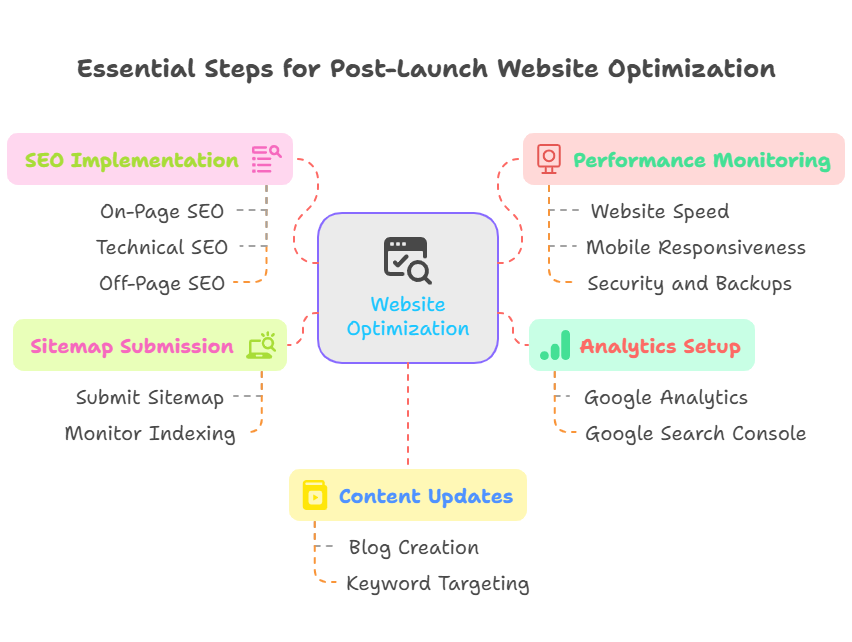
After launching your site, one of the most important technical setups is integrating analytics and monitoring tools. Launching a website without these tools is like flying blind. Every professional website design company or custom software development company in the USA would agree that data is essential for decision-making. These tools help you collect valuable insights about your visitors and how your website is performing, allowing you to make informed improvements over time.
Google Analytics
Google Analytics is a free tool that gives you detailed information about the people who visit your website and how they interact with it. It helps you answer key questions such as:
- Where are your visitors coming from (search engines, social media, referral websites, etc.)?
- What pages are they visiting the most?
- How long do they stay on your website?
- Are they completing your goals (such as filling a form or making a purchase)?
To set it up, go to Google Analytics, create a new GA4 property, and add the tracking ID to the header of your website or use Google Tag Manager to do it more efficiently.
You can also set up event tracking to monitor actions like button clicks, video views, or downloads. This helps you better understand your users and improve your site design or marketing strategy accordingly.
Google Search Console
While Google Analytics gives you behavioral data, Google Search Console focuses on your website’s presence in Google Search results.
It allows you to:
- Monitor which keywords are bringing traffic to your site.
- See how many people are clicking on your site from search results.
- Identify indexing errors or crawl issues.
- Submit sitemaps for better visibility.
- Track mobile usability and performance.
To set it up, visit Google Search Console, add your site as a property, and verify ownership. You can do this using a DNS verification, uploading an HTML file, or using a meta tag in your website’s header.
These tools are invaluable for any web design services in USA aiming to optimize for long-term traffic and conversions.
2. Submit Your Sitemap for Indexing
After your website is live, search engines need to find and index your pages to show them in search results. This doesn’t happen automatically, especially if your website is new or has very few inbound links.
Submitting a sitemap makes it easier and faster for search engines like Google to discover all the pages on your website.
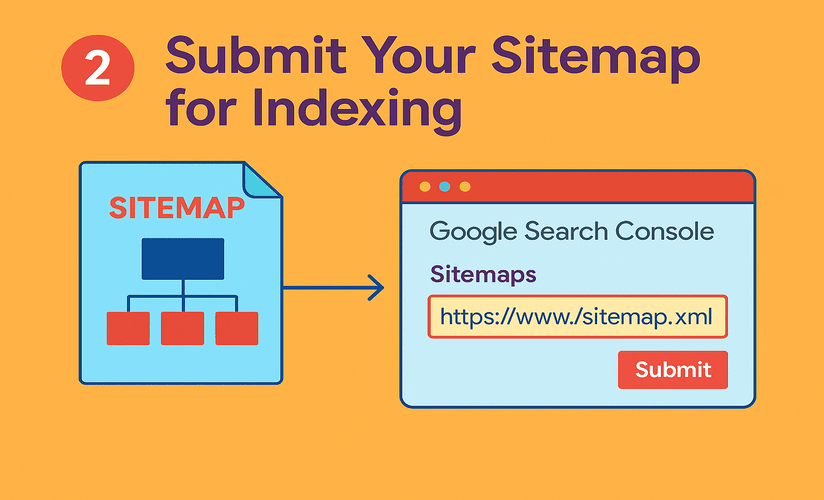
A sitemap is an XML file that lists all the important pages you want search engines to index. Most modern content management systems like WordPress automatically generate a sitemap. You can usually find it at yourdomain.com/sitemap.xml.
Once you have your sitemap URL, go to Google Search Console and:
- Navigate to the “Sitemaps” section.
- Enter your sitemap URL in the submission box.
- Click submit.
Submitting your sitemap ensures Google knows exactly which pages to crawl and helps avoid problems like pages being missed or not indexed at all. If you make significant changes to your website structure or content in the future, it's a good practice to re-submit your sitemap to speed up the re-indexing process.
3. Create a Blog or News Section for Regular Content Updates
After launching, one of the most effective strategies to keep your website fresh and search engine-friendly is by publishing content regularly. A blog or news section serves as a platform to publish new content, target new keywords, and engage with your audience.
Why is this important?
Search engines prioritize websites that are regularly updated with fresh, relevant content. A blog helps you expand your keyword strategy, showcase your expertise, and give value to your audience.
If your website remains static for months, search engines may consider it outdated or less relevant, which can hurt your rankings. On the other hand, publishing even one high-quality blog post every two weeks can help you rank for more long-tail keywords and increase traffic.
Here are a few blog ideas you can consider:
- How-to guides related to your services or products.
- Case studies or success stories.
- Frequently asked questions.
- Industry news or updates.
- Behind-the-scenes content about your company.
Make sure your blog posts are optimized for SEO by including relevant keywords, writing compelling titles, structuring content with proper headings, and adding internal links to other pages of your website. Use blogging as a platform to share insights into your process—whether it’s how your app developers near me in Kerala build Flutter apps or how your custom CRM developers design effective sales automation tools. A well-managed, SEO-optimized blog not only strengthens your brand but also positions you as a trusted and active player in the software development industry.
Publishing fresh content helps in two major ways: it improves organic search visibility and keeps users engaged by providing useful information.
4. Implement SEO and Start Tracking Keywords
Search Engine Optimization (SEO) is the backbone of long-term website success. Right after launching your website, you should focus on laying down a strong SEO foundation.
SEO helps your website rank higher in search engine results, allowing more people to find your business organically. It also improves the quality of traffic, as users actively searching for your services or products are more likely to convert.
On-Page SEO
This includes optimizing elements on each page to make them search-engine friendly. Here’s what you should do:
- Add a unique and keyword-rich title tag to each page.
- Write a compelling meta description that encourages users to click.
- Use proper heading structure (H1 for the main title, H2 for subheadings, etc.).
- Add relevant internal links to help users navigate and spread link authority.
- Optimize images with proper file names and alt text.
Technical SEO
Search engines not only care about content but also about how your website performs. Here are some technical aspects you need to address:
- Ensure your website is mobile responsive.
- Make sure all pages are secure with HTTPS.
- Use fast, optimized hosting to improve page speed.
- Avoid broken links and redirect loops.
- Use canonical URLs to avoid duplicate content.
Off-Page SEO
This refers to actions taken outside of your website to improve its authority. For example:
- Building backlinks from other reputable websites.
- Listing your business in online directories.
- Getting mentioned or featured in blogs, media, or partner sites.
Keyword Tracking
Tracking your keyword rankings allows you to understand how well your SEO strategy is working. Use tools like:
- Google Search Console (free and effective for tracking search queries).
- Paid tools like SEMrush, Ahrefs, or Ubersuggest for more detailed tracking and competitor analysis.
Start by identifying 10 to 20 important keywords related to your business. Monitor how they perform over time and update your content strategy accordingly.
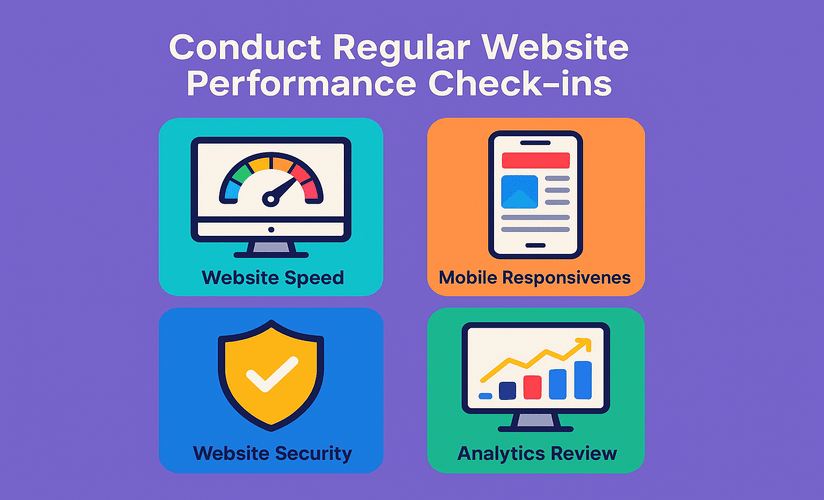
5. Conduct Regular Website Performance Check-ins
Your job isn’t over after setup. Websites need regular maintenance to ensure they remain functional, secure, and effective. Many website issues develop over time and can go unnoticed without routine check-ins.
Here’s what to monitor:
Website Speed
A slow website can cause users to leave quickly, increasing your bounce rate. Use tools like Google PageSpeed Insights or GTmetrix to analyze your site speed and get recommendations. Compress images, remove unnecessary plugins, and use caching techniques to boost load time.
Mobile Responsiveness
With a majority of users browsing through mobile devices, your site must look and function well on phones and tablets. Regularly test your pages on multiple screen sizes to ensure readability and usability.
Uptime and Error Monitoring
You can use tools like UptimeRobot or Pingdom to monitor if your site is down. Regularly check for 404 errors, broken links, or server issues that can negatively impact user experience and SEO.
Website Security
Security should be an ongoing priority. Ensure your SSL certificate is valid, keep your platform and plugins up to date, and install a reliable security plugin to detect malware or suspicious activity.
Backup and Recovery
Make sure you have automatic backups in place—preferably daily backups if you update content frequently. Backups should be stored in a secure location separate from your website hosting.
Analytics Review
Use Google Analytics reports to check:
- Bounce rate
- Average session duration
- Top-performing pages
- Traffic sources
This information helps you improve weak areas and double down on what’s working.
Establish a routine schedule—monthly or quarterly—for performance reviews and updates. This keeps your website healthy and aligned with business goals.
Final Words
Launching your website isn’t the finish line—it’s your first step into the digital world. A solid post-launch plan is essential to grow traffic, boost visibility, and reach your business goals.
Quick Recap:
- ✅ Set up Google Analytics & Search Console
- ✅ Submit your sitemap for indexing
- ✅ Start a blog to keep content fresh
- ✅ Implement SEO and track keywords
- ✅ Run regular performance & security check-ups
These steps don’t need big budgets—just consistent effort. Think of your website as a living asset: update, monitor, and improve it to unlock real value.
Need help moving forward? Whether it's SEO, blogging, CRM development, or app support—our team has your back.
Why KSoft Technologies?
At KSoft Technologies, we build smart digital solutions designed for growth. Whether it’s a lightning-fast SSR website or an interactive mobile app, we deliver what your business needs.
Our Services:
- Web Development (SSR/CSR-based, SEO-optimized)
- Mobile Apps (Android & iOS for better engagement)
- Custom ERP (Reliable and scalable systems)
- Maintenance & Support (24/7 uptime and security)
- Process Automation (Smart tools that save time)
Let’s turn your website into a growth engine.
🚀 Book a free consultation and let’s build something impactful!