


Let’s face it—your website isn’t just your digital business card anymore. It’s your first impression, your sales engine, and your 24/7 storefront. At Ksoft Technologies, we work with ambitious brands across the US and Canada who don’t just want a pretty website—they want one that gets found, loads fast, converts leads, and climbs the search rankings.
Whether you're launching a new site or revamping an old one, SEO has to be part of the foundation—not an afterthought. And if you're building on WordPress (smart move), you’re already one step ahead. But even with the right platform, success starts before you write your first line of code or pick a theme.
This guide walks you through everything we recommend as a professional website design company for building a WordPress website that’s optimized for SEO from the ground up. No fluff—just the real stuff that works in 2025.
1. Choose a Reliable Hosting Provider
This is where your website lives, and trust me, it matters—a lot. The quality of your hosting impacts site speed, uptime, and even security, all of which influence how Google ranks your site. If your site loads slowly or goes offline often, search engines and users won’t stick around.
We always recommend going with hosting providers that offer:
- Solid uptime (99.9% or higher)
- SSD servers for fast load times
- Free SSL certificates
- 24/7 customer support
- Easy WordPress integration
From our experience, providers like HostGator and SiteGround offer great support and infrastructure for small to mid-sized businesses in the US. And as a software development company USA clients trust, we help ensure your site runs on the right platform from the very start.
2. Go With WordPress for Total SEO Control
When it comes to building an SEO-ready site, WordPress is our go-to. Not because it’s trendy—but because it gives you full control. From content management to on-page optimization, it checks every box.
Why do we love WordPress at Ksoft?
- It’s flexible and scalable
- It's developer-friendly for custom code
- It supports countless SEO plugins
- It integrates easily with ecommerce and CRMs
We offer custom software development services that often involve deep WordPress customization—so our clients aren’t boxed into templates that don’t reflect their brand or business goals.
3. Install the Right SEO Plugins
One of WordPress’s biggest strengths is its plugin ecosystem. For SEO, we strongly recommend two plugins that we install on almost every project:
Yoast SEO
- Helps you structure content for readability
- Offers real-time SEO analysis
- Creates advanced XML sitemaps
- Handles canonical URLs and meta tags
All-in-One SEO
- Great for ecommerce integration (especially WooCommerce)
- Includes schema markup tools
- Offers image SEO features
- Supports Google AMP and Google Analytics
Plugins aren’t just about features—they make ongoing SEO simpler and more efficient, especially for business owners who need clarity and control over their content.
4. Lock Down Your Website’s Security
Cybersecurity isn’t just for tech giants. Even small business websites are targets for hackers, malware, and data breaches. Google now considers site security a ranking factor, and unsecured sites (those without HTTPS) can get flagged in Chrome or even blocked by antivirus tools.
Here’s what we recommend:
- Make sure your host provides a free SSL certificate
- Set up a web application firewall (WAF) via services like Cloudflare or Sucuri
- Keep your themes, plugins, and WordPress core updated
- Use strong passwords and two-factor authentication
If you're serious about long-term performance, think of security as part of your SEO—not separate from it.
5. Mobile-First = SEO-First
Back in 2018, Google shifted to mobile-first indexing. That means the mobile version of your website is the primary version Google uses to index and rank your site.
Fast forward to today, and over 64% of search traffic in the US comes from mobile. If your site isn’t optimized for mobile, you’re missing out—plain and simple.
We build every client site with responsive web design in mind. That means your layout, images, buttons, and navigation adjust smoothly to any device—without pinching, zooming, or side-scrolling.
This is where our web development AI capabilities come in too. We use intelligent testing tools to preview your site across multiple breakpoints to ensure it delivers an exceptional mobile experience.
6. Keep Navigation Ridiculously Simple
Here’s a test we like to use: if an 8-year-old can’t navigate your website, it’s too complicated.
Clear, intuitive navigation helps users find what they’re looking for and encourages them to stick around—both of which help reduce bounce rate and increase time on site, two key SEO metrics.
Quick tips:
- Use clear menu labels (e.g., “Services” not “What We Do”)
- Limit menu options to 5–7 main categories
- Keep your call-to-actions visible and consistent
- If you’re offering ecommerce and custom development services, make sure your products and service pages are never more than two clicks away from the homepage.
7. Add a Messenger Chatbot for Real-Time Engagement
While email marketing still works, it’s getting harder to capture attention in inboxes. Messenger bots are a smart way to talk to visitors where they already are—on platforms like Facebook or WhatsApp.
A chatbot can:
- Answer FAQs instantly
- Qualify leads
- Connect users to a sales rep
- Increase time on site (which boosts your SEO)
We implement bots as part of our mobile app developers USA solutions to support omnichannel engagement, especially for younger, mobile-first audiences.
8. Internal Linking Builds Authority
Want your services page to rank? Link to it often from related blog posts and other core pages. Internal links tell Google which pages on your site are most important, and they help spread page authority (or “link juice”) across your website.
Use keyword-rich anchor text when possible and link naturally within the content. We always make internal linking part of our content strategy for clients in ecommerce website development and service-based industries.
9. Use Strong Visuals to Keep Visitors Engaged
You don’t need a Hollywood budget to make your website visually engaging. Just be intentional. People process images 60,000 times faster than text, and websites with images and videos see higher time-on-site metrics.
Best practices:
- Use high-quality, compressed images
- Add explainer videos on key pages (like product demos or testimonials)
- Add descriptive alt text for every image (this also helps with image SEO)
This is one area where we love blending aesthetics and performance, especially when we deliver professional website design company projects.
10. Content Still Rules (But It Has to Be Smart)
Let’s clear this up: content is still king—but only when it’s relevant, well-written, and aligned with search intent. Gone are the days of keyword stuffing. In fact, overusing keywords can now hurt your rankings.
Instead, focus on:
- Solving problems your customers are Googling
- Answering FAQs clearly and in-depth
- Writing in a natural, human tone (just like this post!)
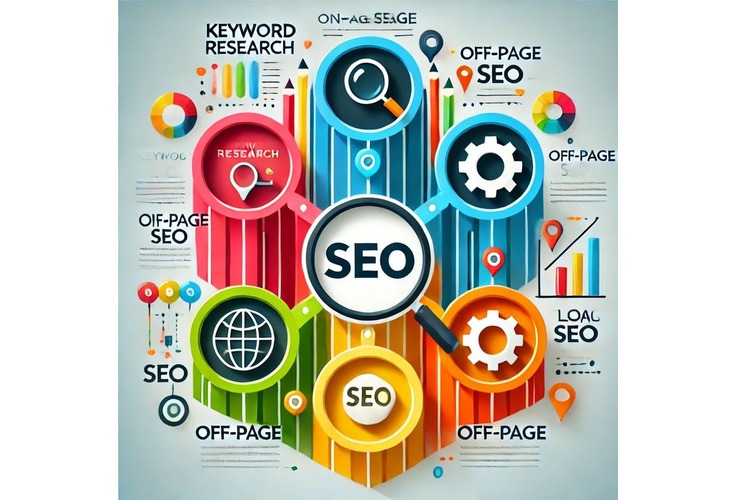
We help clients map content to buyer journeys, using keyword research, semantic SEO, and AI-based writing tools to craft content that’s optimized but never robotic.
Here’s the approach we use:
- Step 1: Define your SEO content strategy (topics, clusters, search intent)
- Step 2: Design the structure (headings, images, CTAs)
- Step 3: Write and optimize content with natural keyword integration
- Step 4: Audit performance regularly and improve with data
Wrap-Up: Build Smarter, Not Just Prettier
Before you dive into design or plugins, take care of the essentials. The right hosting, the right CMS, strong security, and a mobile-first mindset lay the groundwork for sustainable growth.
At Ksoft Technologies, we go beyond design. We deliver high-performance, SEO-ready platforms tailored to your goals. Whether you’re looking for app developers near me USA, a custom CRM development company, or just need your WordPress site to start converting, we’ve got the team and tech to get it done.
Let’s build your future—SEO-first.
